Help overview/Organization and members
Organization
The organization is the top level of a Levitio account. You can handle many things in one place for the whole organization.
The organization is the top level of a Levitio account. It can represent, for example, an association, a scout center, a club, a school, a fire brigade, or another organization under which individual units, clubs, or other units operate.
You can now handle many things in summary for the whole organization, without opening each unit or club separately.
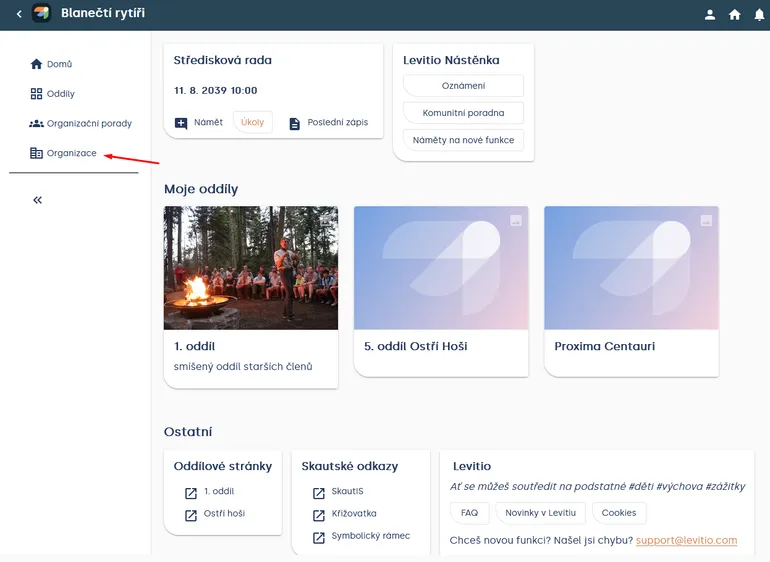
How to get to the organization. The interface may differ; in the organization menu you will find Overview, Members, Messages, Payment transactions, Documents, Users, Settings, Storage, and Subscription.
Overview
In Overview you see basic information about the organization and its subordinate units.
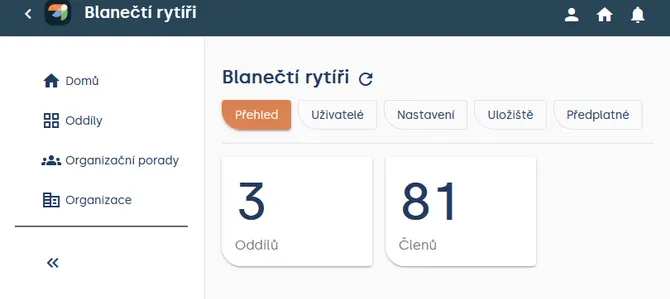
Organization > Overview
Members
Organization > Members shows members from all subordinate units, clubs, and other units in one place.
At this level you can do basic work with members. For advanced unit tools, such as Smart table, go to a specific unit or club.
🔗 More: Member records
Messages
You can also work with Messages at the organization level. Use this level when you need to communicate across the organization. For communication with one specific unit or club only, open Messages directly in that unit.
🔗 More: Sending messages to members and parents
Payment transactions
Organization > Payment transactions provides a combined view of transactions across subordinate units.
Setting up a bank account and creating unit payments still happens in a specific unit / club.
🔗 More: Levitio Pay: payments
Documents
In Documents you can work with a combined overview of documents for the organization.
Users
In Users you manage people who have access to the organization. A user’s permissions determine which data and units they can see and what they can edit.
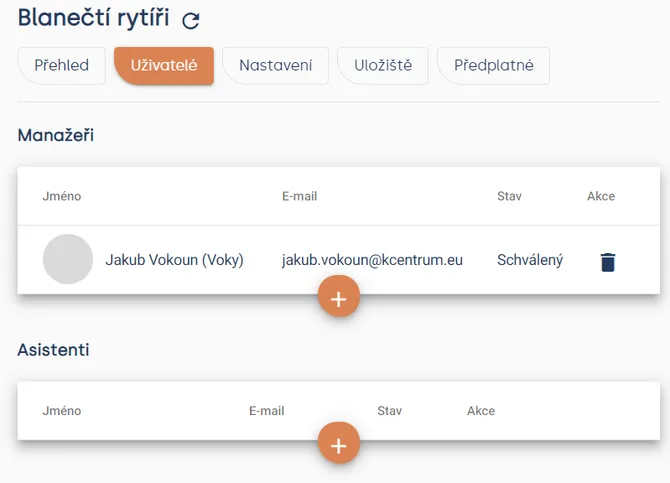
Organization > Users
🔗 More: Users
Settings
In Settings you edit basic organization details and other available organization options.
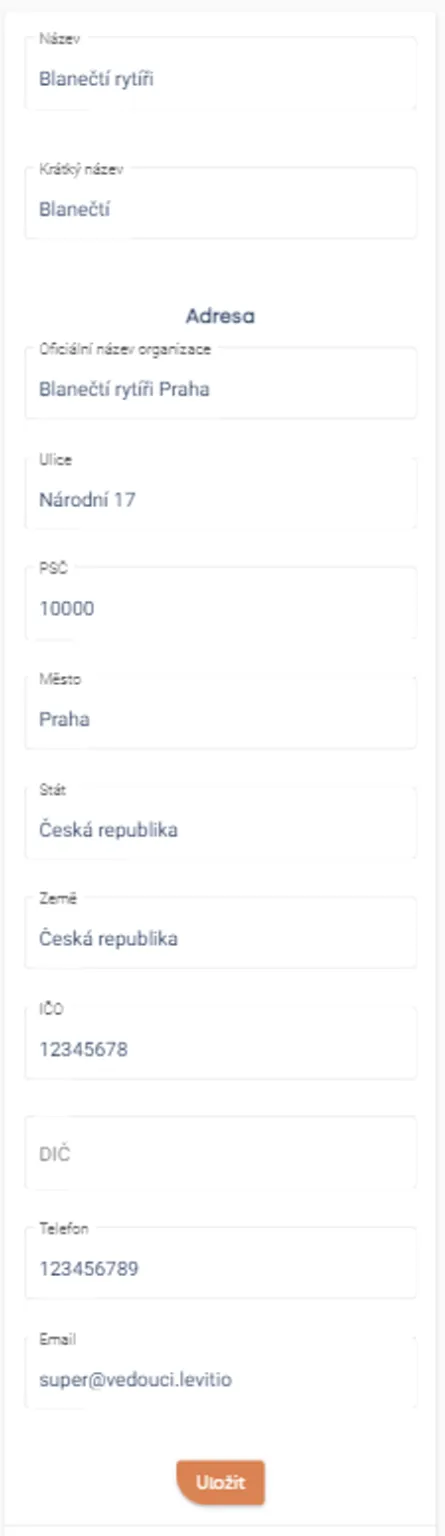
Organization > Settings > Basic
Typically you set the name, short name, address, country, company ID and tax ID, phone, and email. Company ID and tax ID identify the organization.
Home page
A place for creating custom tabs on the home page — for example links to a website or social networks.
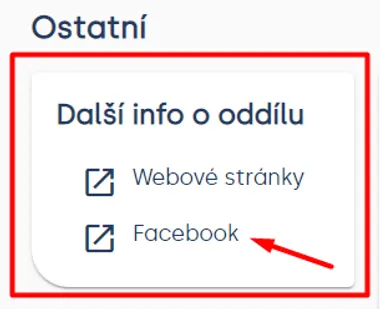
Levitio > Home > bottom section
A tab is the entire box, and items (links) can be added to a tab.
How do you create a tab?
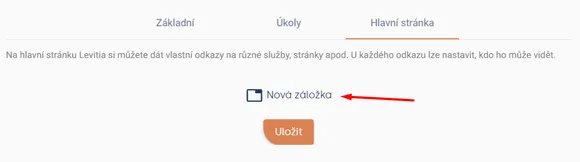
Organization > Settings > Home page
After clicking the New tab button, a window opens where you fill in the tab name and items (name, URL, and who will see them).
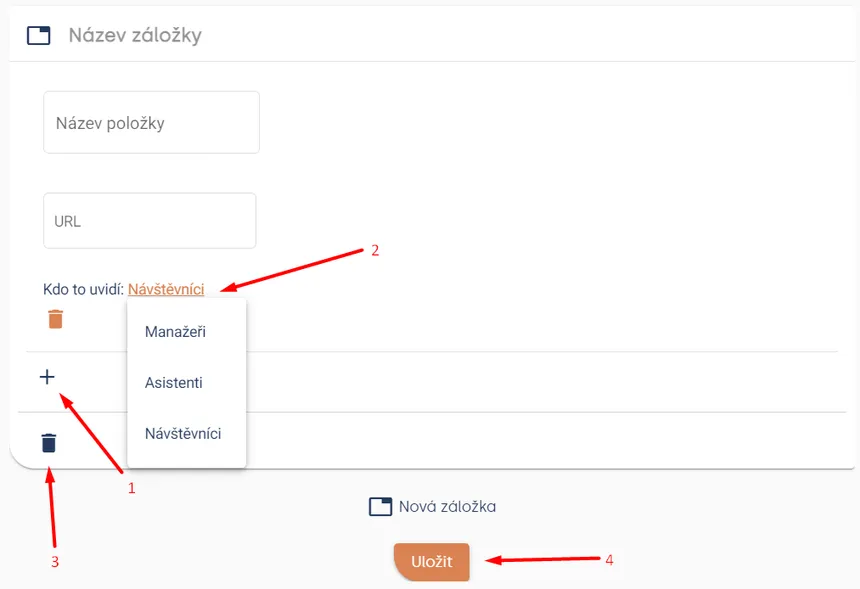
Tip One tab can have many items, and you can create more than one tab.
Subscription
In Subscription you will find current information related to the plan and available services.
Levitio is free for organizations. Levitio Pay is optional and charged only when you use it.
What stays at the unit / club level
Some features are still handled in a specific unit or club. These include, for example:
- adding a bank account for Levitio Pay,
- Smart table,
- working with files in Storage,
- day-to-day work with specific events and the program.
Storage at the organization level shows the limit. Actual file work happens in a specific unit / club.
An organization can customize the names of individual levels, so in your account you may see club, team, or group instead of unit or patrol.
Related articles
Organization and members
Structure
Levitio uses several levels so it can match how your organization is actually organized.
Organization and members
Member records
You can manage members in a specific unit / club and also in summary at the organization level.
Organization and members
Users and permissions
Users are people who sign in to the administrative part of Levitio. Parents and children are not administrative users.
Organization and members
Unit / club
A unit or club is the main working unit under the organization. You create a new unit from the organization overview.
Organization and members
Unit / club settings
In Settings you edit the basic details of a specific unit / club. This is also where the bank account for Levitio Pay is set.