
Help overview/Organization and members
Moving between patrols
To move someone between patrols, go to: *Unit > **Members > Move between patrols*** At the top is always the unit you have selected, and below it are all patrols from that unit.
To move someone between patrols, go to:
Unit > Members > Move between patrols
At the top is always the unit you have selected, and below it are all patrols from that unit. When you hover over a member’s initials, you will see the member’s name and nickname in parentheses. You can move a member simply by grabbing their initials with the mouse and dragging them to the target patrol.
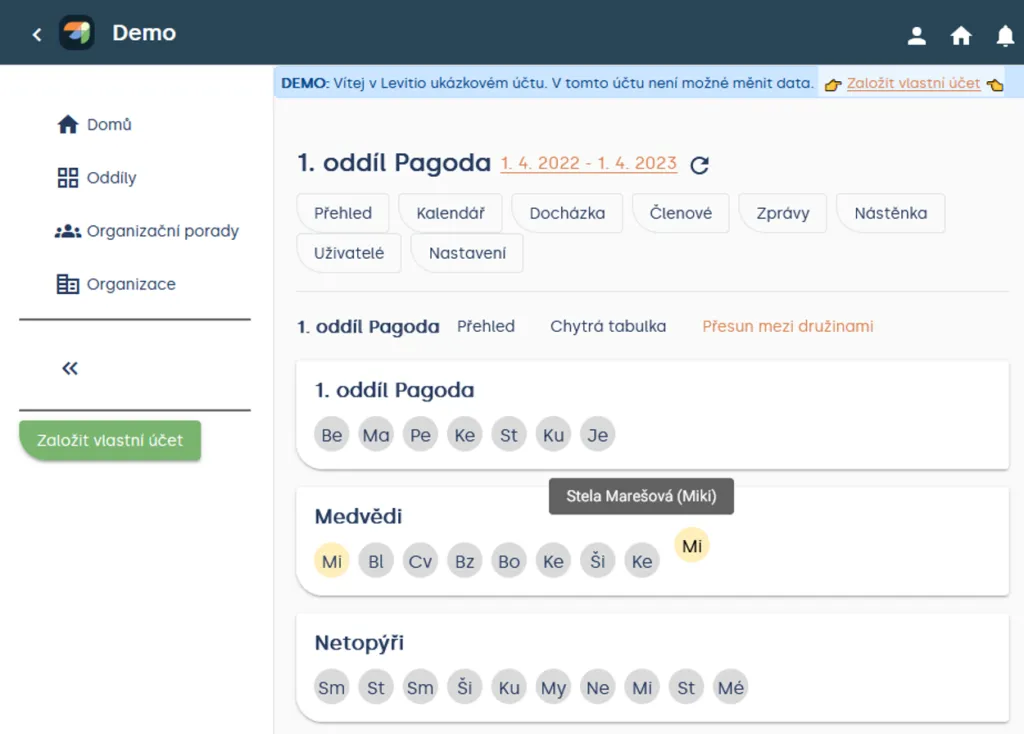
Unit > Members > Move between patrols
Tip Member initials are either composed of the first letter of the first and last name, or the first two letters of the nickname.
Another way:
You can also move members by going to:
Unit > Members > Overview
Then click the three dots next to a member (⋮) and click “Move to”, then select the patrol you want to move the member to.
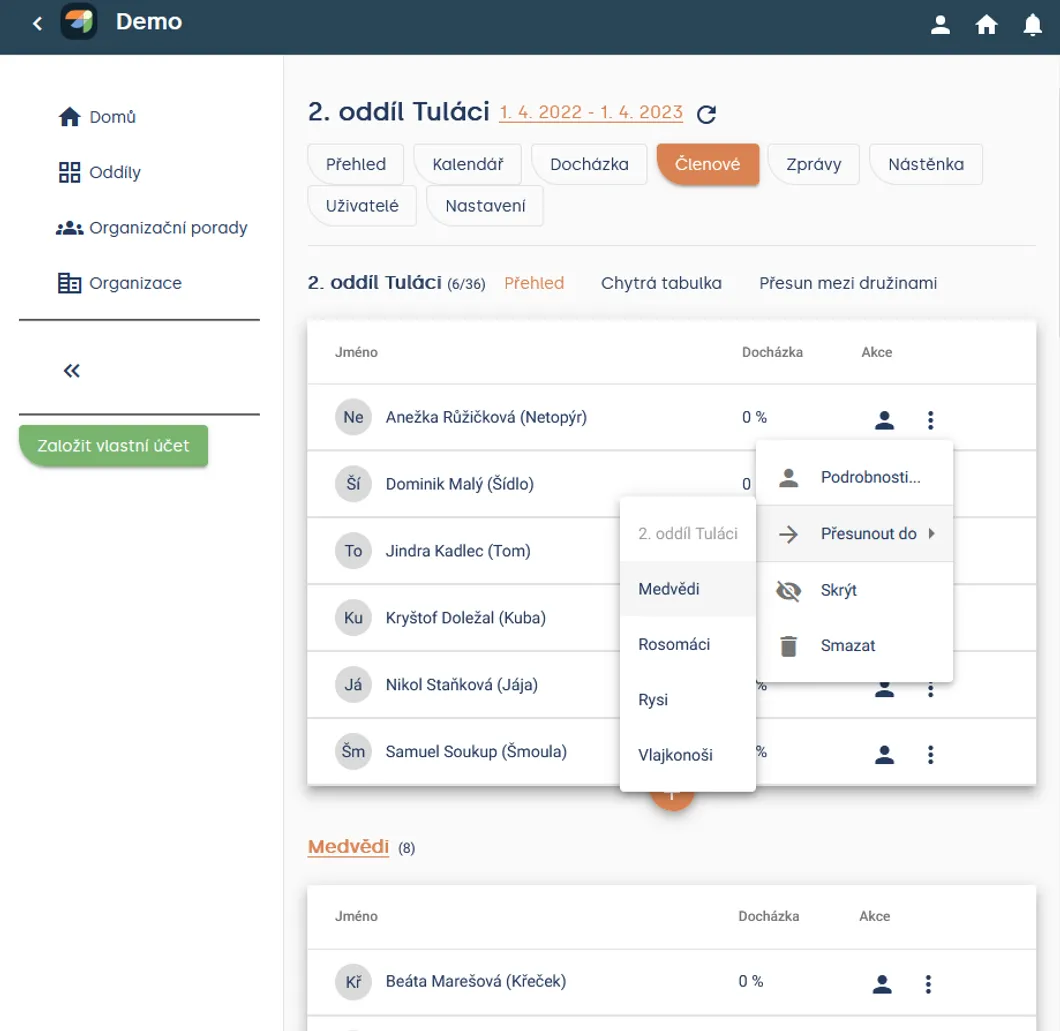
Unit > Members > Overview > ⋮ (next to a member) > Move to
Working with a member in another unit
You can move members between patrols / groups within the same unit.
If you also need the member in another unit, use the option copy to another unit. Copying is not the same as a move — before confirming, check whether the member should remain in the original unit as well.
Where to place leaders? For leaders, you can create a separate patrol or leave them as unit members only.
Related articles
Organization and members
Organization
The organization is the top level of a Levitio account. You can handle many things in one place for the whole organization.
Organization and members
Structure
Levitio uses several levels so it can match how your organization is actually organized.
Organization and members
Member records
You can manage members in a specific unit / club and also in summary at the organization level.
Organization and members
Users and permissions
Users are people who sign in to the administrative part of Levitio. Parents and children are not administrative users.
Organization and members
Unit / club
A unit or club is the main working unit under the organization. You create a new unit from the organization overview.