Help overview/For parents
Levitio for parents
Parent and member portal: events, payments, noticeboard, and children's details in one place. You enter the portal with a personal link, without registration or a password.
Levitio portal for parents and members: everything important from the unit/club in one place
The parent and member portal is a simplified part of Levitio designed for families. Here you will find information about events, confirm attendance or excuse your child, handle payments, and check member details you have access to.
Parents know what awaits their child and what needs to be arranged. Children can prepare for events more independently, and leaders have timely information needed for good program preparation.
What you can do in the portal
Depending on which features your organization uses, in the portal you can:
- track upcoming meetings, trips, camps, and other events,
- view details, location, time, price, and packing list,
- confirm your child’s attendance or excuse them,
- answer supplementary questions from leaders,
- view and pay membership fees or event fees,
- read noticeboard messages,
- check children’s details and request changes,
- send leaders a short thank-you or feedback,
Home page
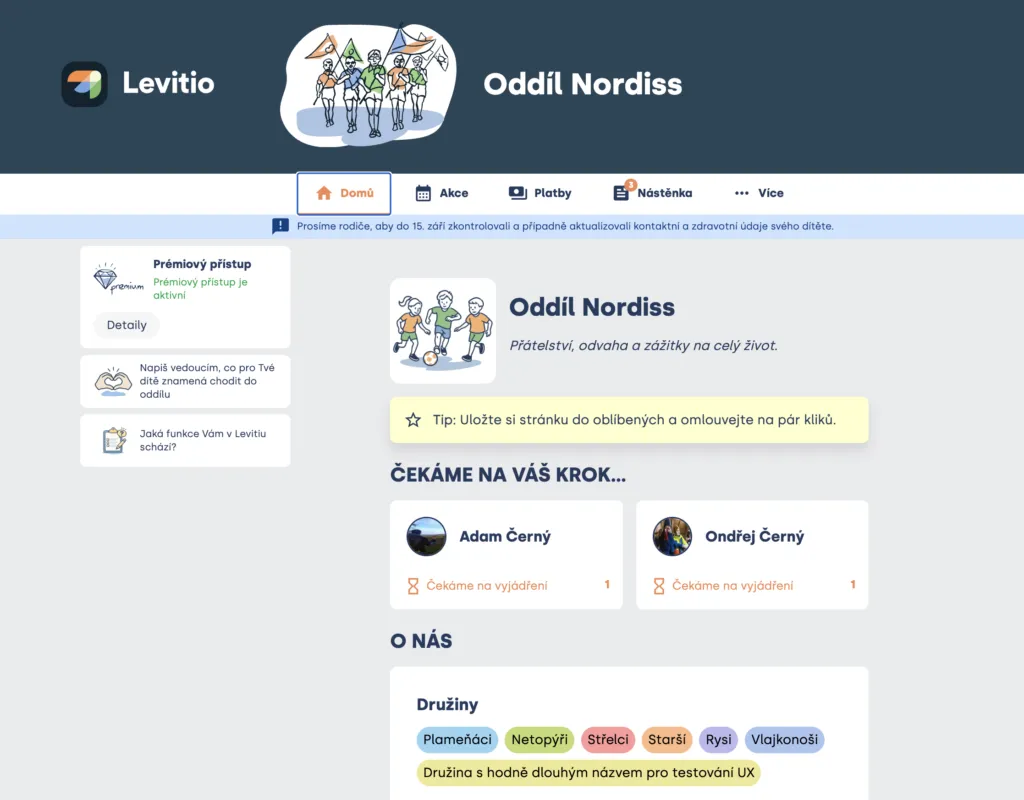
When you open the portal, the organization’s home page is displayed. You will see your children you have access to.
The Waiting for your action section alerts you to items that need to be resolved, for example:
- confirm attendance at an event,
- excuse your child,
- make a payment.
This way you don’t have to go through all events looking for something you might have forgotten.
If you have multiple children in Levitio, you see each member’s own tasks and status. By clicking a member’s name, you display information the organization records about the child.
Events: meetings, trips, and camps
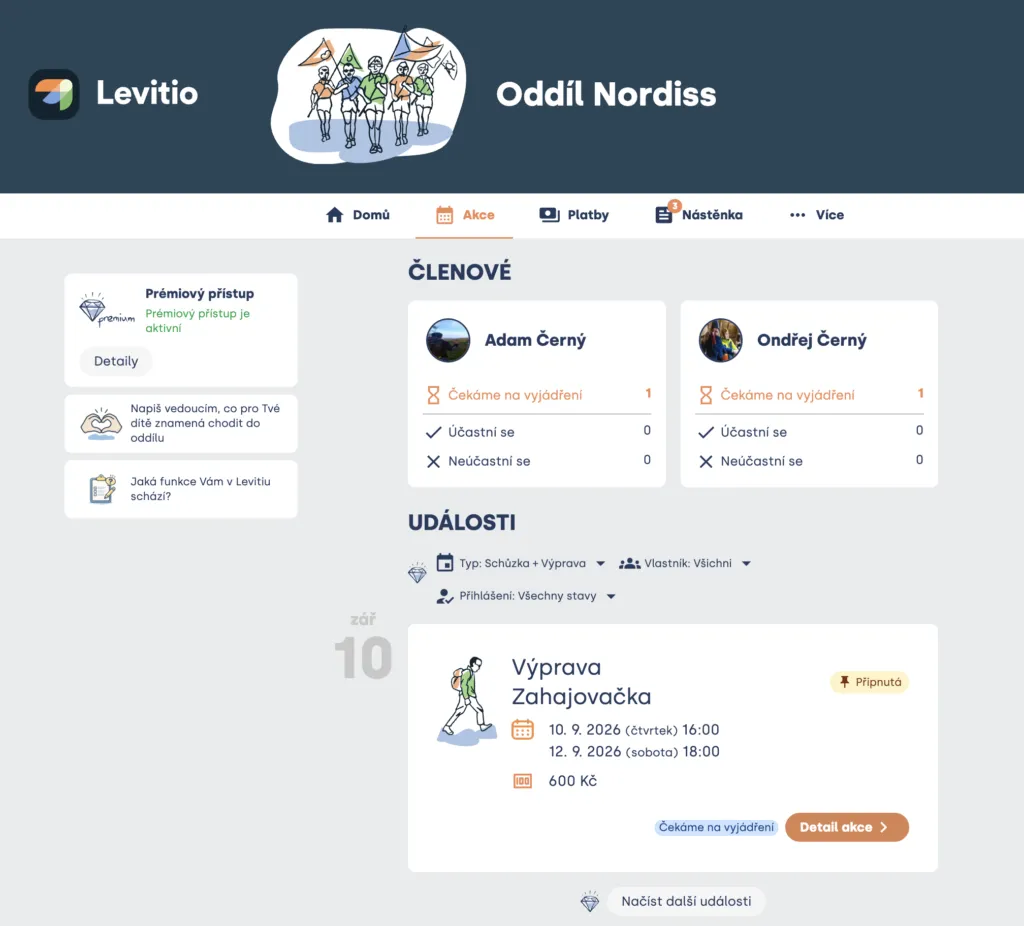
In the Events section, you will find events the organization has published for your children. These may include meetings, training sessions, trips, competitions, training camps, or camps.
In the event overview, you see basic information such as name, date, and price. By clicking into the event detail, you then display all details and the option to sign your child up, excuse them, or fill in additional sign-up information.
On the event card, events planned for the next month are displayed. At the end of the list, you can load more events (for the next 30 days). You can filter events, e.g. when you want to see only trips and not everyday meetings/training sessions.
Leaders may continuously add or change information. We therefore recommend checking the details again before an event. However, it is common practice that in case of an exceptional change, leaders send a special alert by email or SMS.
Event detail
For leaders to plan effectively (buy tickets and food, choose a campsite, prepare a program for children), they need to know in advance who is going. That’s why they send event invitations where, in addition to all necessary information, you can sign your children up or excuse them.
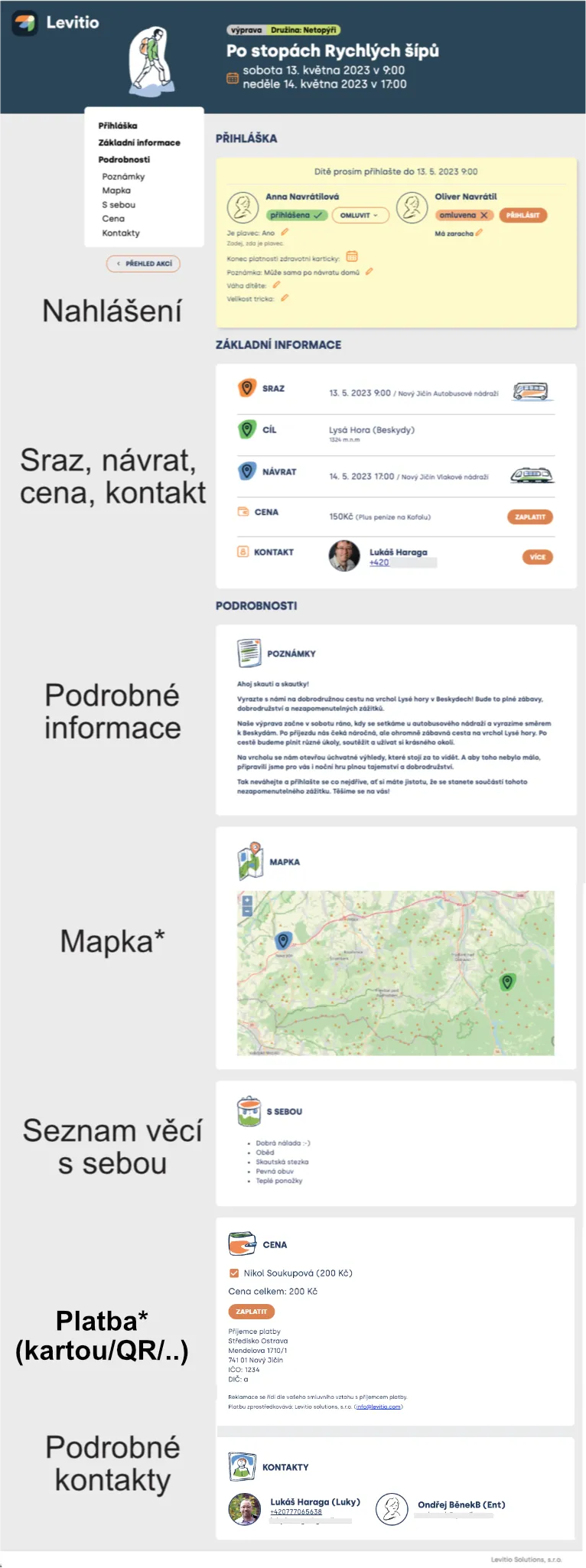
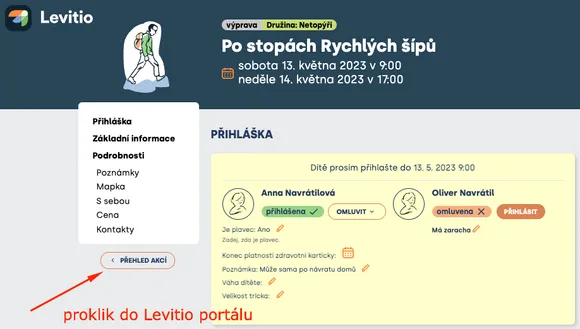
In the portal, click “event detail” and then you can sign your child up (and also fill in supplementary questions from leaders) or excuse your child (and choose a reason). An event may have a sign-up deadline set; after it passes, attendance cannot be changed (and you need to contact the leader directly).
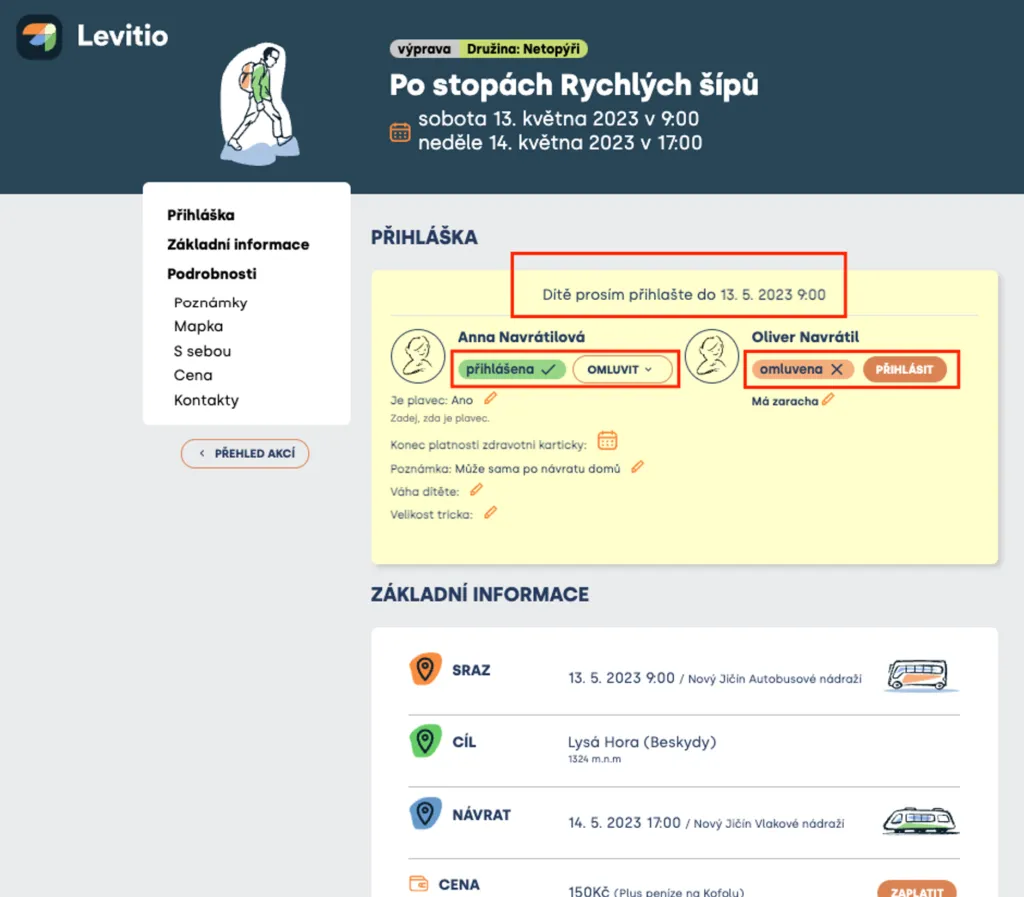
Web interface of a trip invitation (displayed for two children), where you can sign children up or excuse them. Changes are possible until closing.
Payments: fees and events at a glance
If the organization uses Levitio Pay, you will find fees associated with individual members in the Payments section. These may include, for example:
- membership or registration fee,
- trip, camp, or training camp,
- unit clothing,
- equipment,
- another payment announced by the organization.

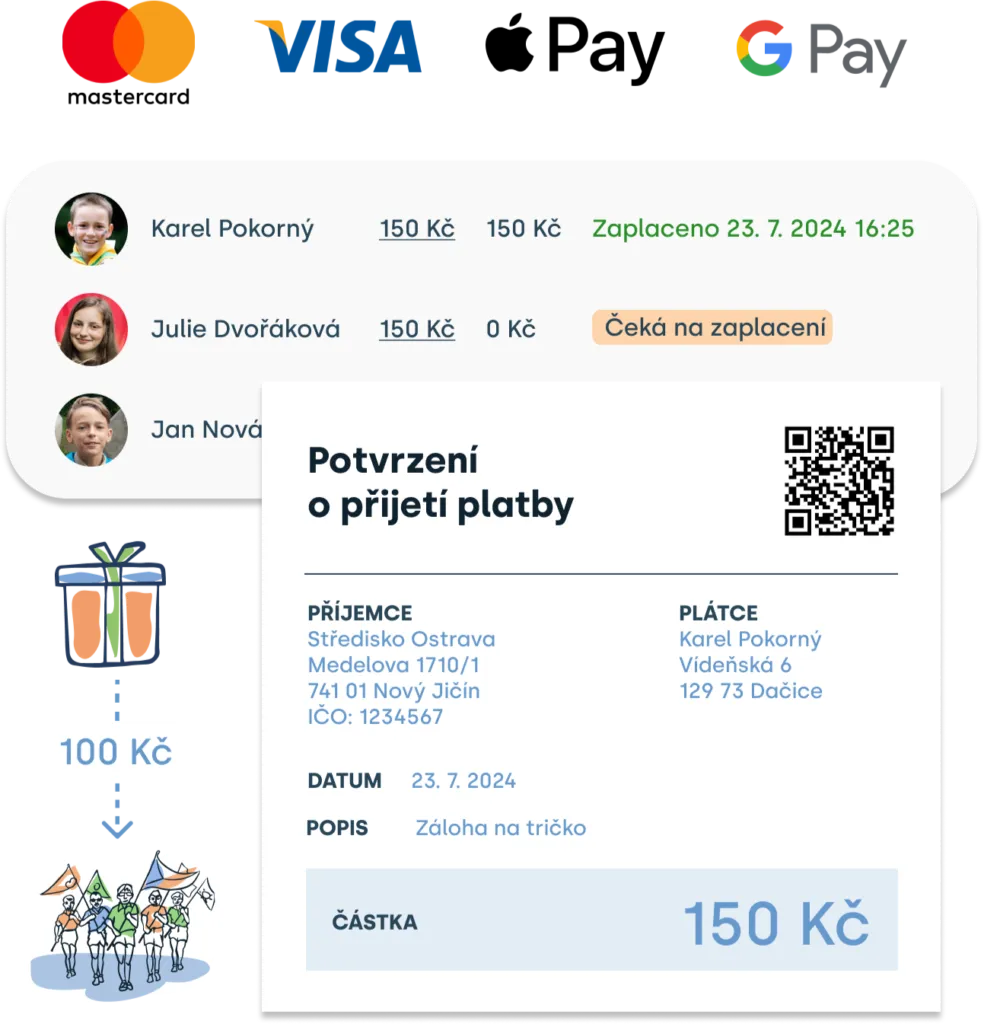
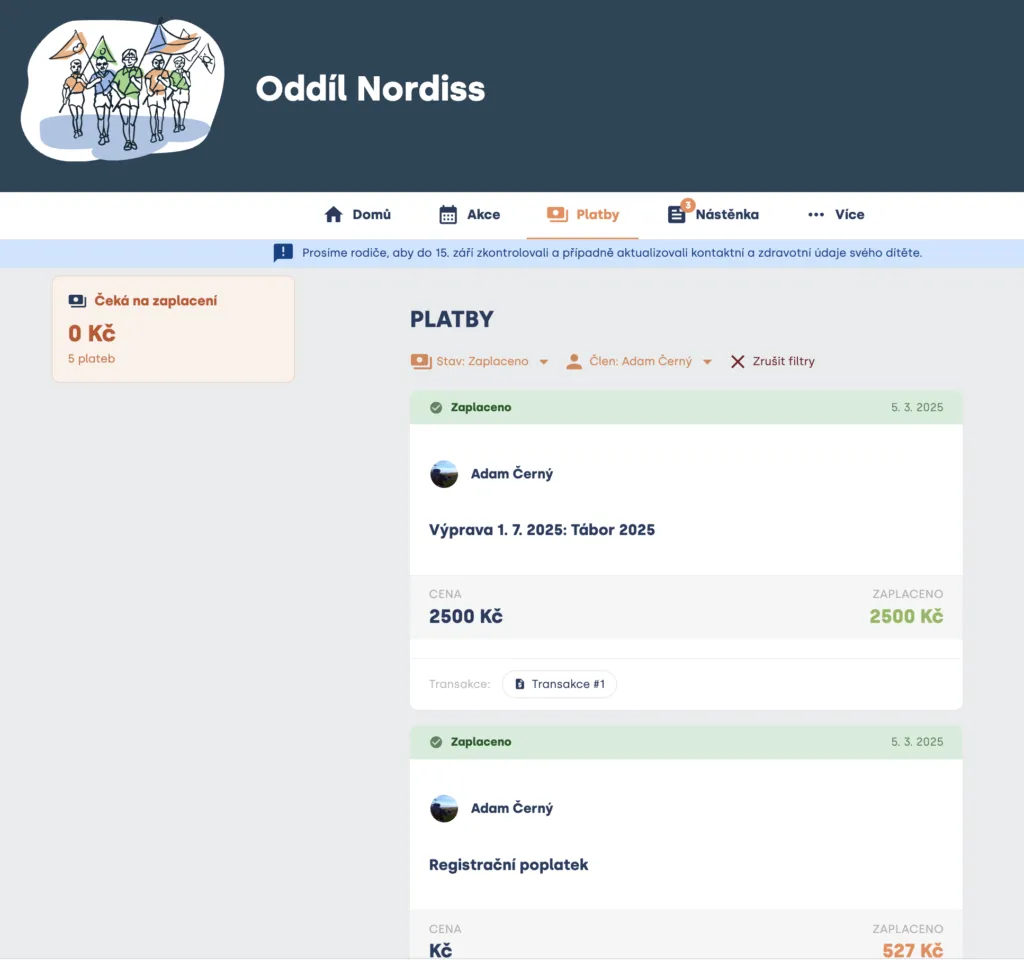
The overview offers a summary of all payments that have already been made (with the option to download payment confirmation) and those requested by the organization (awaiting payment with the option to go directly to the payment gateway for online payment*).
Payments can also be filtered by member and by status.
Practical tip You can find a detailed guide on how to pay in a separate article: How a parent pays with Levitio Pay.
Tip If the unit your child is in doesn’t use Levitio Pay, you can talk to the leader(s) and ask them to enable paying fees and events online. It’s a safe, fast, and convenient way for both sides.
What are the benefits?
- For you, parents: Quick payment by card, Google Pay / Apple Pay from mobile, QR code, or quick transfer. You see all payments clearly in the parent portal and Levitio automatically generates payment confirmation for you. And if you forget a payment, Levitio will remind you.
- For leaders: Saved time they can invest in preparing a developmental program for your children. All payments clearly in one place, payment synchronization from the payment gateway, related administrative burden resolved, ability to collect donations for the unit.
- For your children: An even better and more thoughtful program that will move your children forward. Because leaders will have more time for it.
Noticeboard: messages from the organization
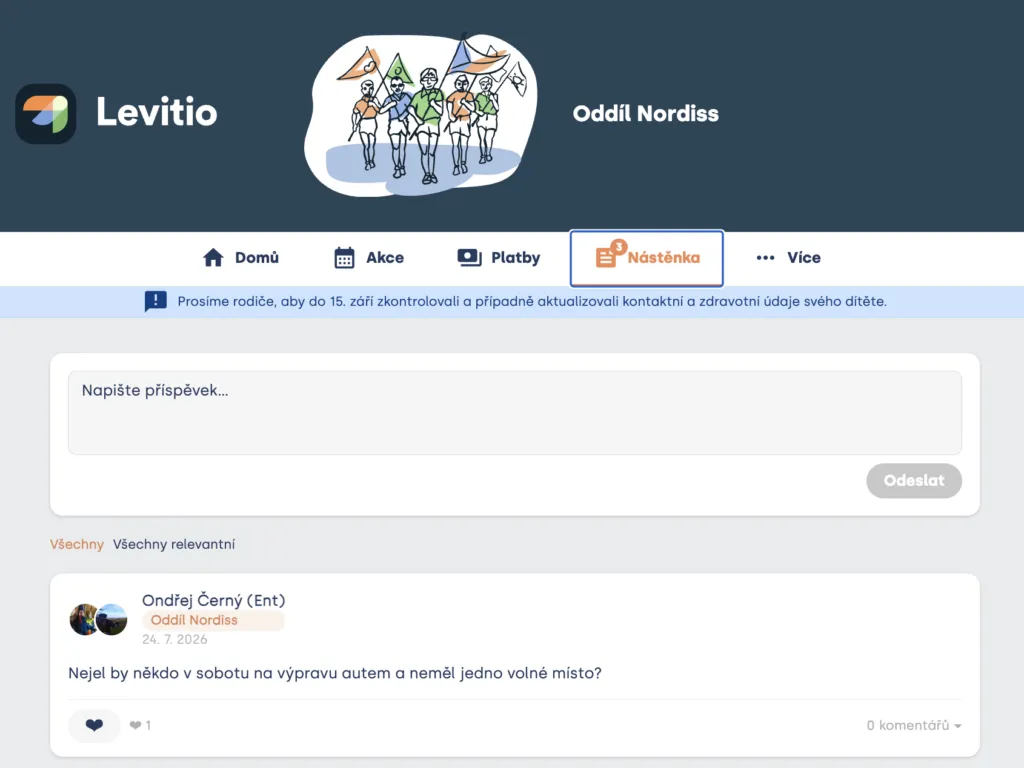
On the Noticeboard, parents, members, and leaders can communicate together.
In addition to parent-leader communication, the noticeboard also serves to connect parents with each other so they can arrange:
- Parents can arrange shared transportation, for example,
- handing over forgotten items,
- lending equipment or organizing shared help for the unit.
Practical tip Don’t use the noticeboard for urgent or sensitive matters. In such cases, contact the responsible leader directly.
More: member profiles and other links
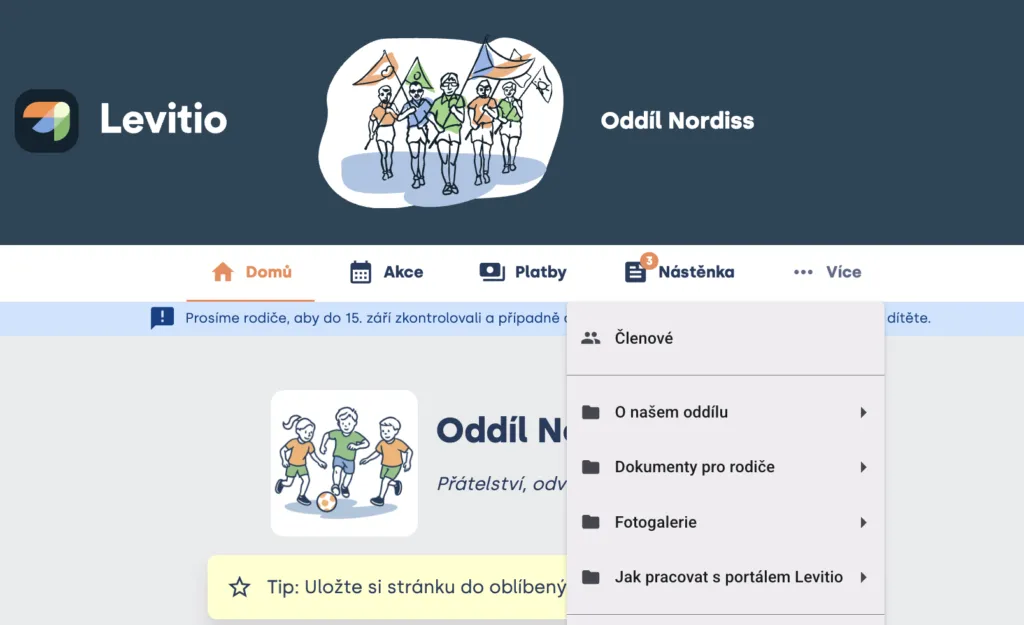
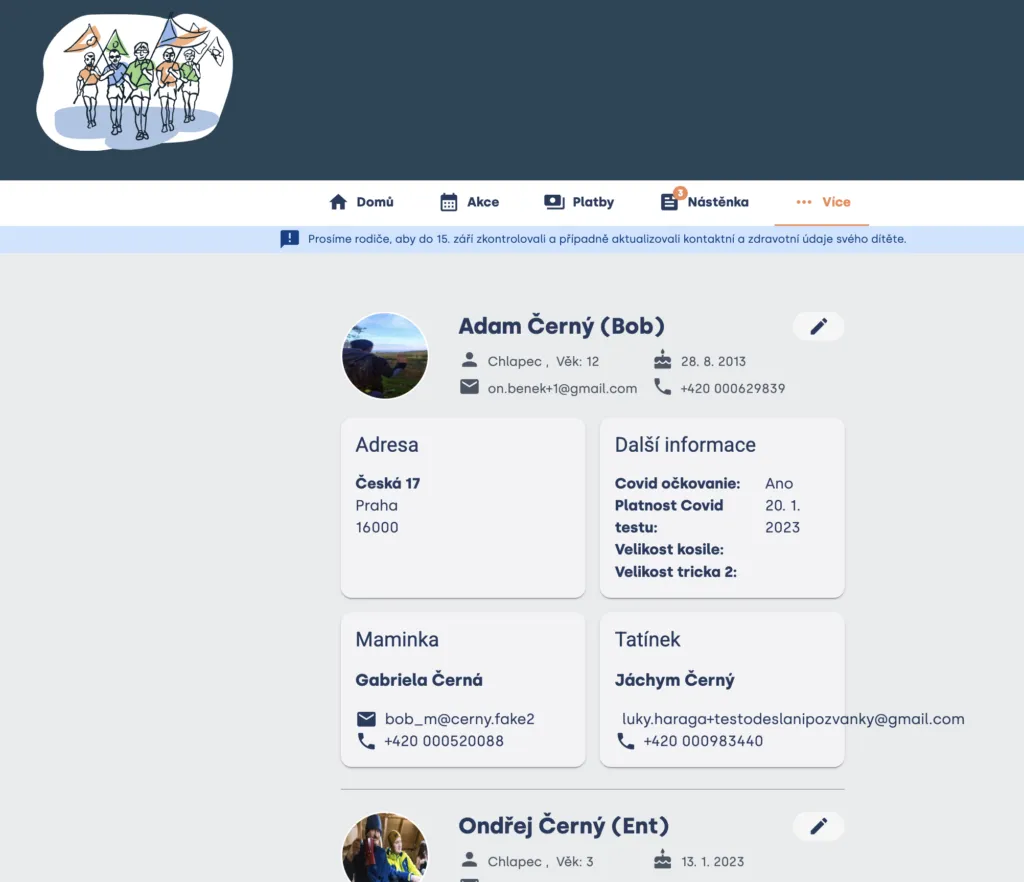
In the More section, you will find member profiles you have access to, as well as a directory of links the organization shares with you.
How to request a data change
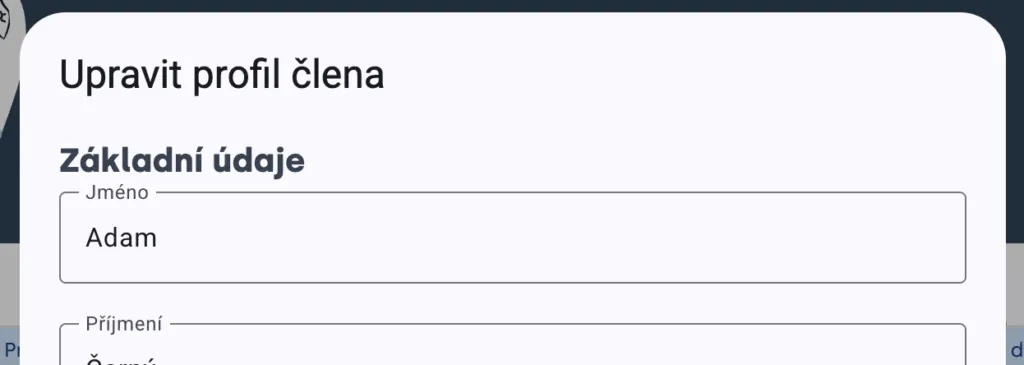
For members, you see a pencil icon. This lets you immediately inform the organization about a data change (e.g. moving, new email address) or request correction of incorrect data.
- open profile editing,
- correct or complete the details,
- submit the request.
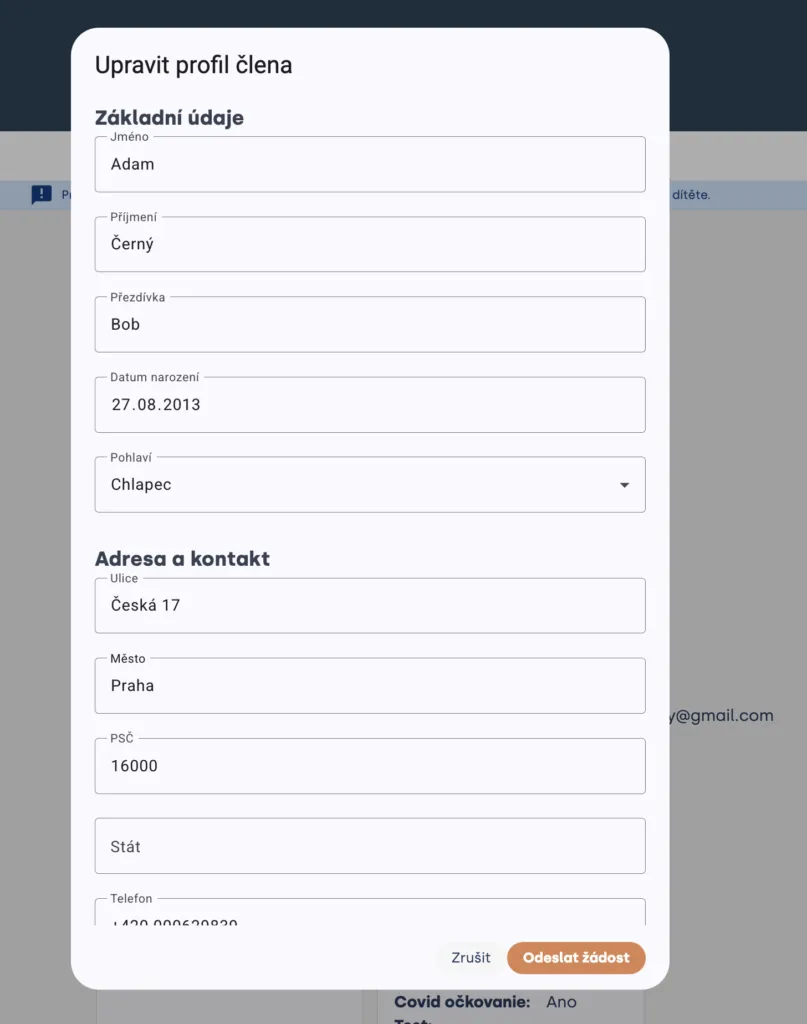
The organization may review the request before saving. The change may therefore not appear in the profile immediately.
In the More section, depending on availability, you can also send leaders a short message or let them know which feature you miss in Levitio.
What is free and what you pay for
Levitio distinguishes basic features needed for everyday use from extended family features.
Levitio Basic: Everything important for everyday use is free.
Depending on the organization’s settings, this includes in particular:
- an overview of upcoming events and their details (events in the next 30 days + one pinned organization event)
- attendance confirmation and excuses,
- supplementary questions when signing up,
- payments, if the organization uses Levitio Pay,
- other basic information needed for the family and the unit to function.
Without a paid plan you therefore do not lose essential information or the ability to respond to events.
Levitio Overview
Levitio Overview is an optional family extension for parents who want to plan further ahead and give the child more room for independent preparation.
Practical tip Organizations that use Levitio Pay fully (collecting payments through the Levitio payment gateway) automatically unlock Levitio Overview for all members and parents within the organization FOR FREE.
Greater overview for parents
- events more than 30 days ahead:

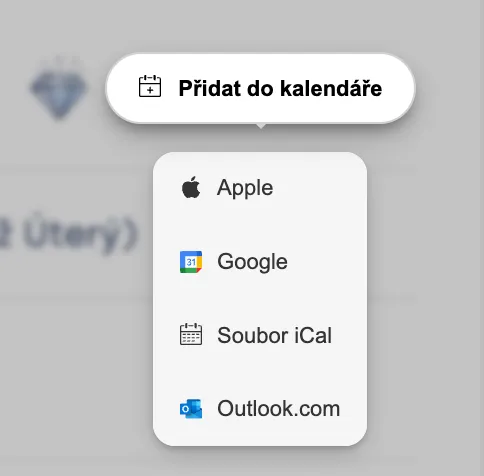
- adding a specific event to a personal calendar:
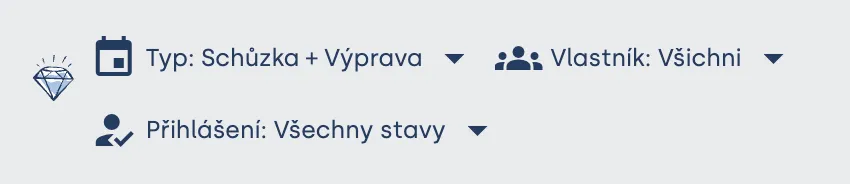
- filtering events and a history of past events:
- requesting a data change directly in Levitio:
A more independent and motivated child
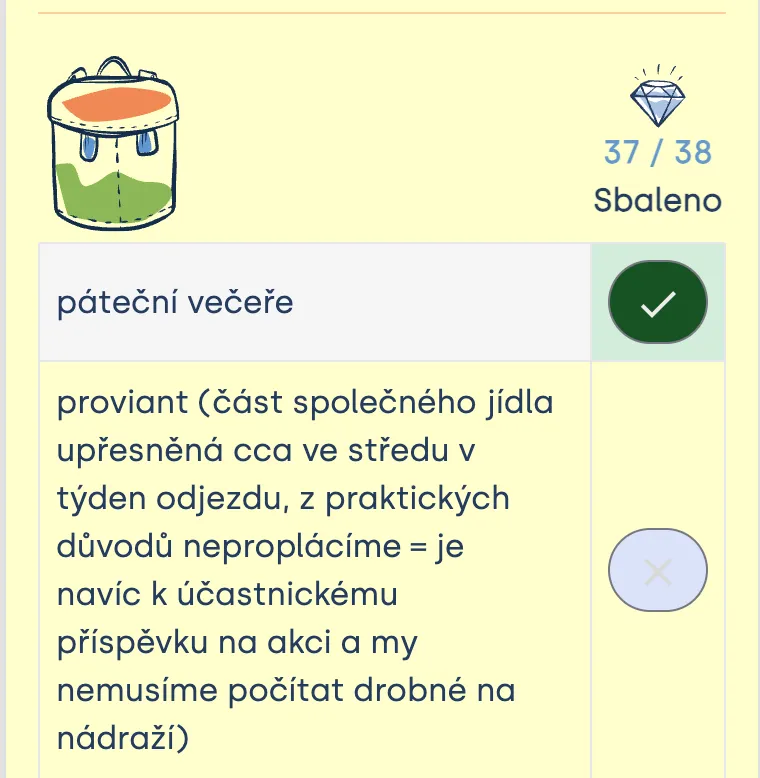
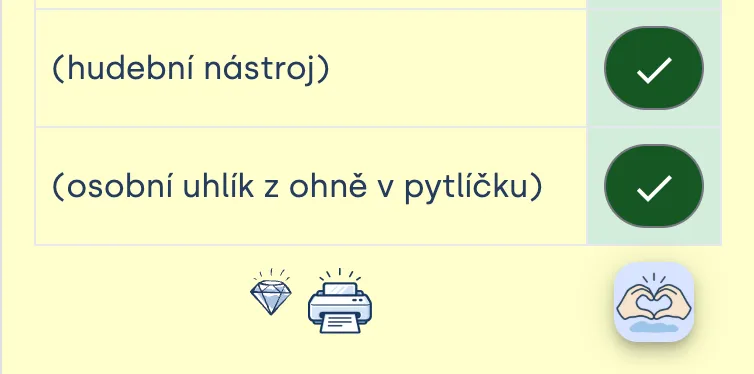
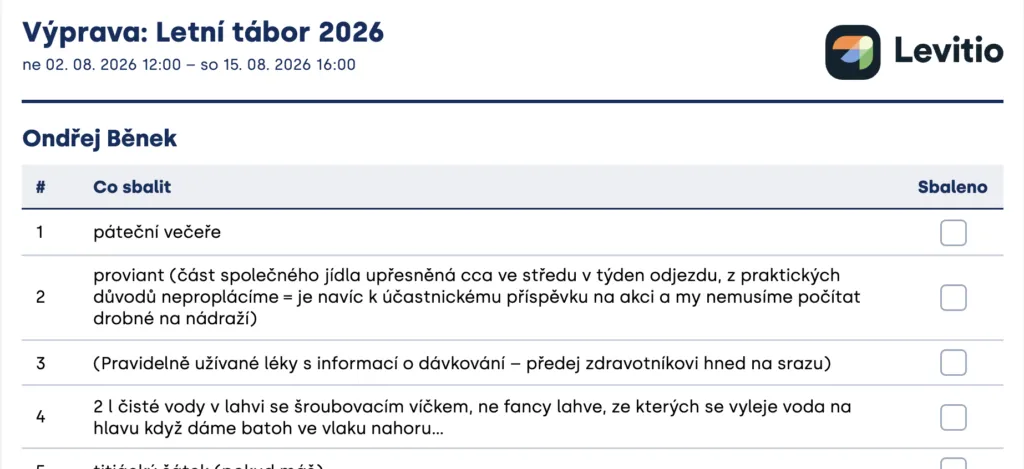
- checking off items while packing:
- an overview of who else is going to the event (if the organization allows it)

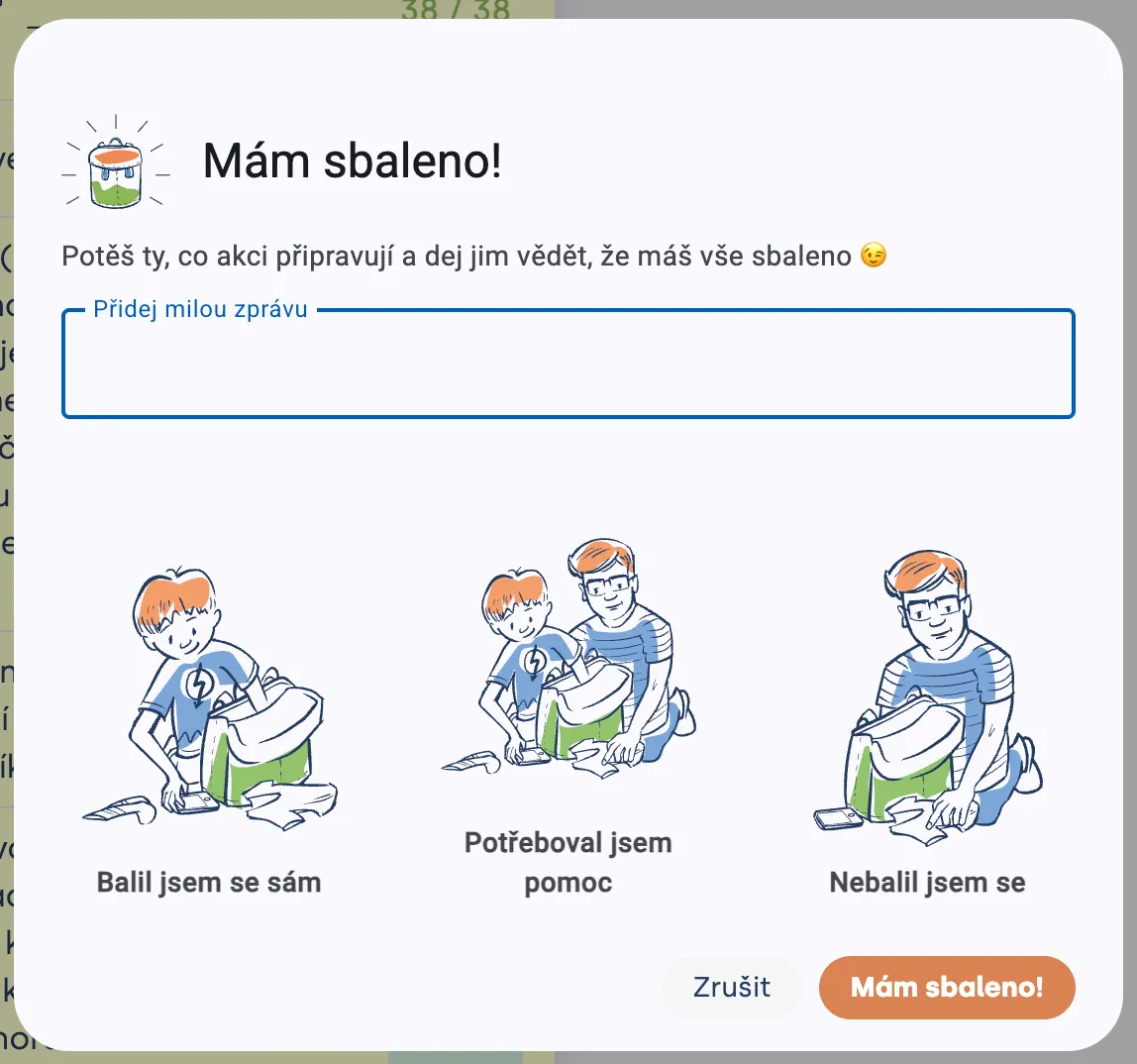
- confirmation that the child is packed,
- the option to print the packing list.
You will see the current price and exact feature scope in the portal before activation. The plan is for the family, not only for one child.
Why are some features paid? Basic operational features remain free. Payment for Overview helps fund development of features designed directly for families, service operation, and user support. It is not a fee for access to required information from the unit, but an optional comfort extension.
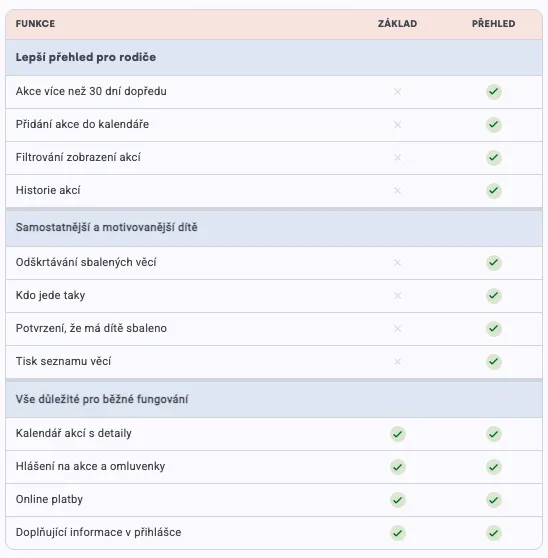
Summary of Levitio Basic vs Levitio Overview features
Levitio Basic — free
For parents who need an overview of upcoming events and a basic connection with the unit. Essential information and the ability to respond to events are not tied to a paid plan.
Levitio Overview — paid by the family
For families who want to plan further ahead and involve the child more in preparation. Overview adds a longer event outlook, working with a personal calendar, event history and filtering, and tools for more independent packing.
The plan applies to the family within the given organization and to the children the parent has access to in that organization.
Levitio Overview — free thanks to Levitio Pay
If the unit uses Levitio Pay fully (collecting payments), all its parents get Levitio Overview for free for that organization. Parents thus get extended features without additional payment, while leaders simultaneously simplify collection, matching, and payment control.
Other options
Supporting the unit
If the unit has this set up, you can support it financially whenever you pay something to the unit online through Levitio — for example a trip or the child’s registration. You can increase each such payment as you see fit.
Most units operate at a very low cost and leaders are almost always unpaid volunteers. From our own experience we know that leaders think carefully about every crown they spend (camp and unit equipment, education, etc.). Thank you very much for supporting your units and volunteer leaders above the standard — if your situation allows it. Donated funds let them prepare a higher-quality program for your children.
More in 🔗 How a parent pays with Levitio Pay
Feedback & voting
Leaders may invite you by email to vote or to rate a trip. These are very important inputs for how the unit works, because they help leaders steer the unit in a direction you consider right. You can vote, for example, on dates or new equipment; feedback is especially useful (though not only) for young children who may not say how they liked a trip.
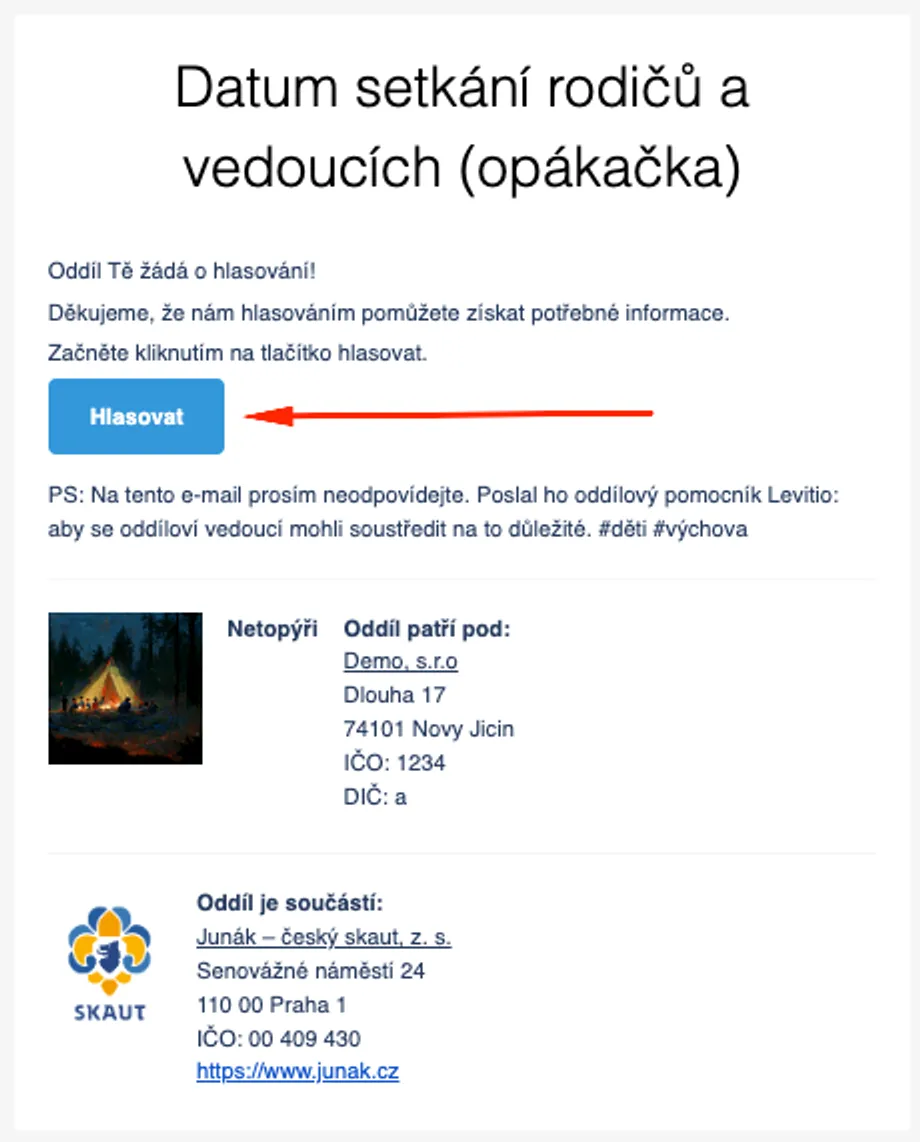
Display of an email asking for a rating (feedback) and voting. The buttons always lead to our portal.
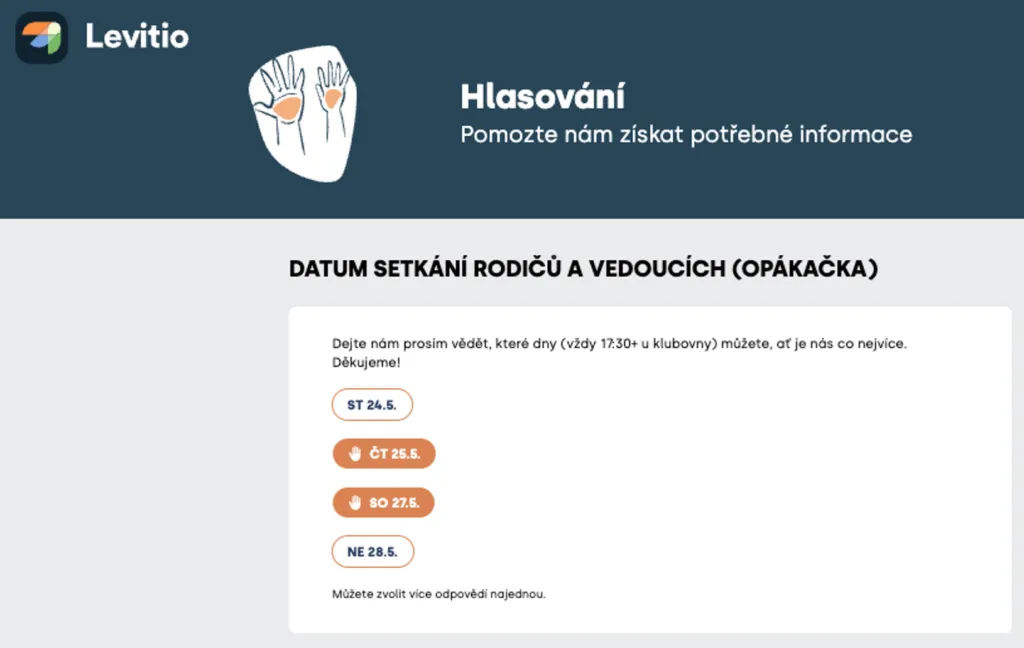
This is what voting on the web portal can look like; options the parent voted for are marked in orange.
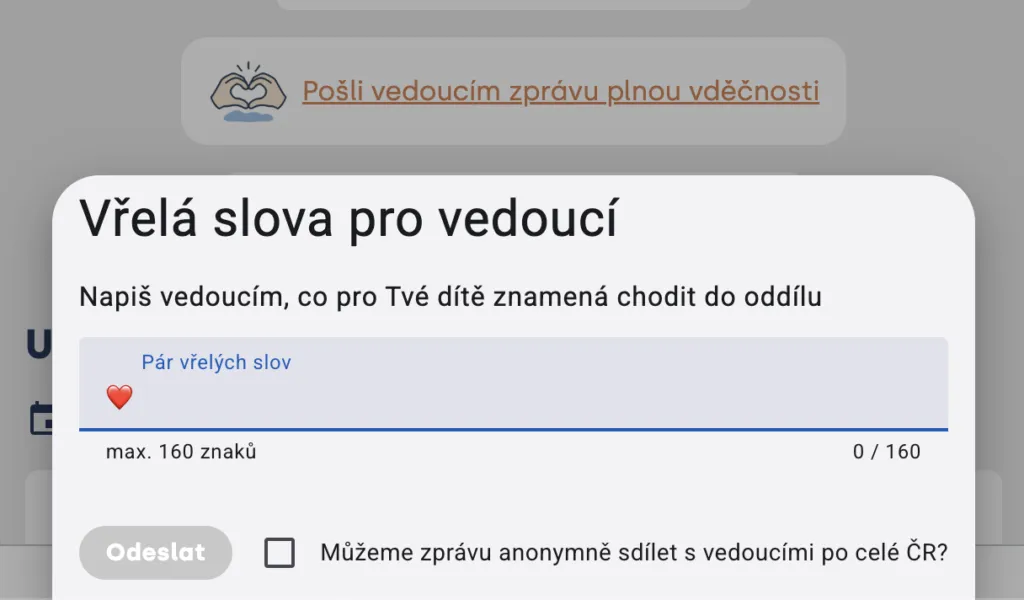
Make leaders happy with a message 🧡
Leaders often devote a large part of their free time to children. With a short message directly from the portal, you can let them know what the unit means to your child and what you appreciate about their work. Even a few sentences can remind them that their effort has real meaning.
FAQ: Frequently asked questions
Can’t access the portal?
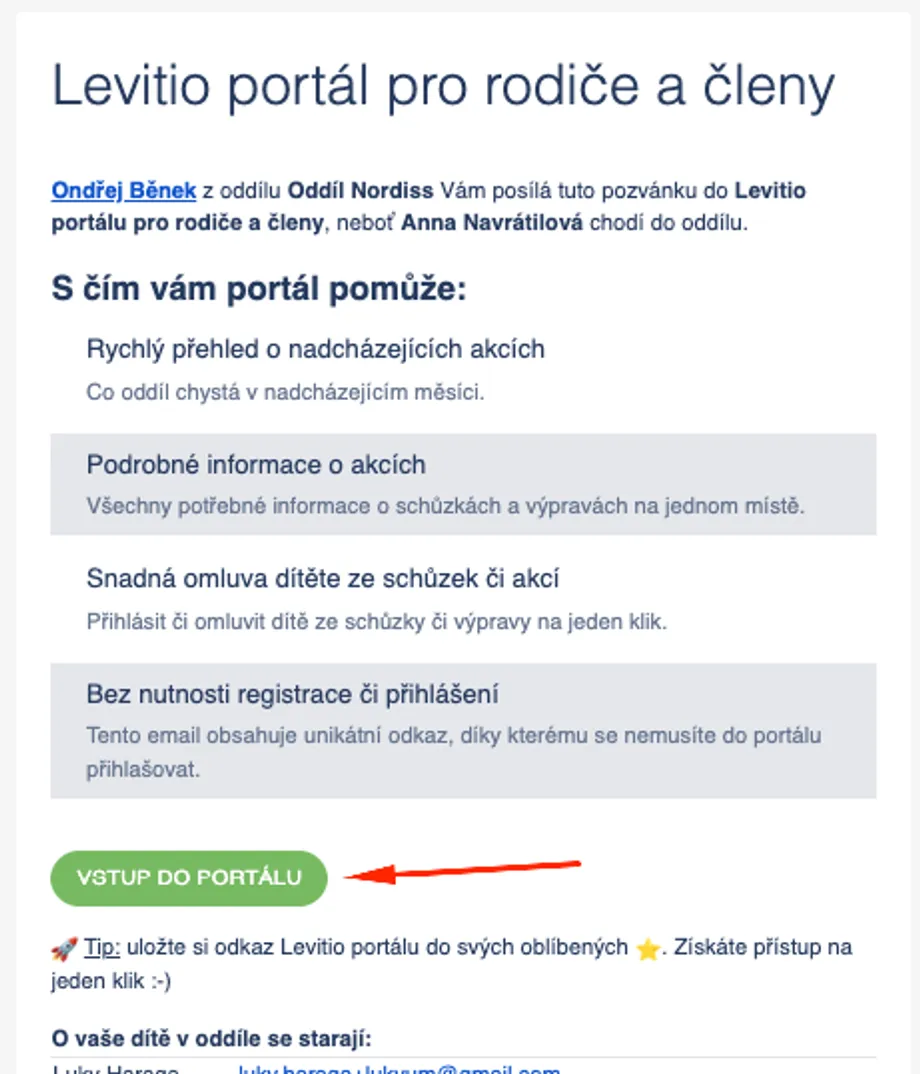
The organization must send you an invitation to the portal. You can access it by clicking from the email “Welcome to the Levitio portal for members and parents” or from any meeting/trip invitation with the green button “Sign up or excuse for another event”.
If you don’t have an invitation, contact the leader/coach of your organization.
Practical tip The portal URL doesn’t change, so we recommend saving the page to ⭐️ bookmarks (CTRL+D)
Do I need to register for the portal?
No. Open the portal using a personal link from the organization. You don’t need another account or password.
Can I download Levitio as an app? (Levitio on phone)
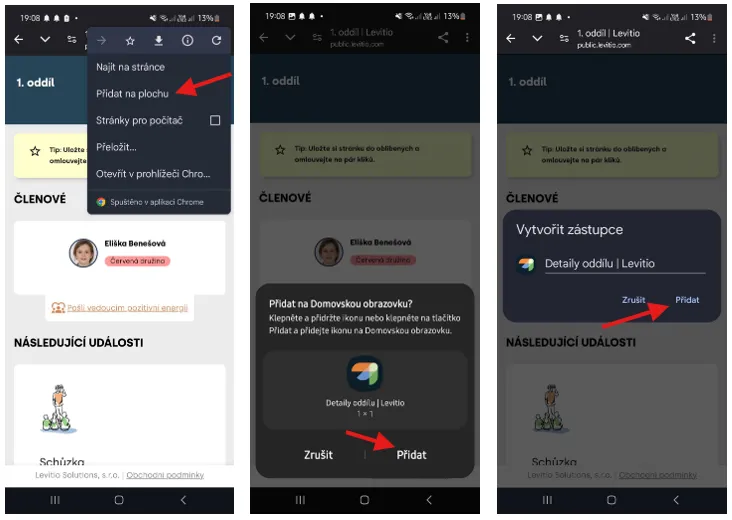
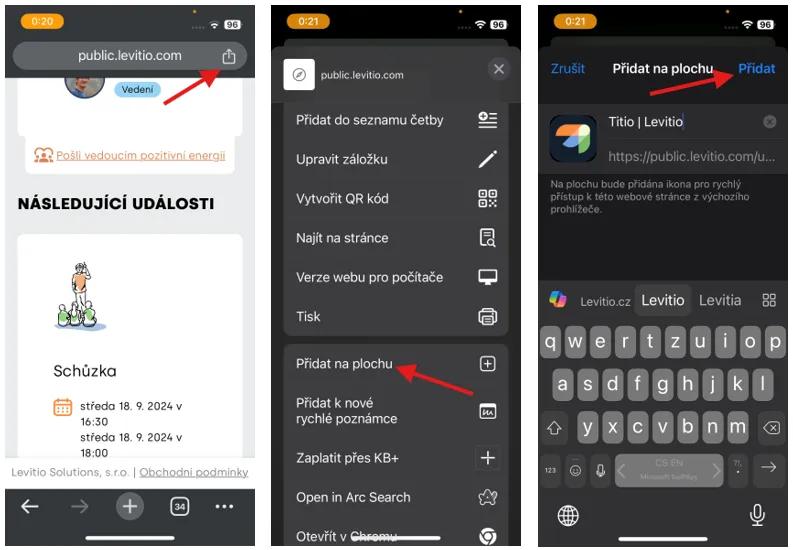
Levitio is a web portal. However, you can add it to your phone’s home screen and open it using your own icon. Here is a simple guide on how to do it.
Android
Click the three dots in the upper right corner of the screen and choose “Add to home screen”. In the next step, confirm installation. After installation, the Levitio shortcut on the home screen will behave like a regular app.
Video guide:
iPhone
Click the icon in the upper right corner of the screen and choose “Add to home screen”. In the next step, confirm installation. After installation, the Levitio shortcut on the home screen will behave like a regular app.
Video guide:
I have multiple children. Will I see them together?
If the children are recorded in the same organization and the organization has correctly linked them to your access, you will see them together.
Children recorded in different organizations are not currently shown in one shared cross-organization view.
Can the other parent also have access?
Yes, if the organization sets up appropriate access for them. Don’t automatically forward your personal link to them.
Why don’t I see an expected event?
The event may not have been published yet (the organization is still preparing details), is not intended for your child’s group (the event is for a different age category, for example), was cancelled, or is outside the period available in your plan (if you were invited to the event, you can still access it through the link from the email invitation).
Why can’t I change attendance?
The sign-up deadline may have passed or leaders closed changes. Contact the responsible leader.
Do I need to buy Levitio Overview?
No. Basic features needed for everyday use are free. Overview is an optional extension that helps:
- parents have a greater overview
- children with greater motivation and independence
- the organization have a more advanced Levitio system that saves leaders time so they can devote themselves fully to children
How do I get Levitio Overview for free?
If your organization uses Levitio Pay fully, all its parents get Overview for free. You can let leaders know directly from the portal or mention it in person.
Who receives the money when I pay a unit contribution?
The recipient is the organization / unit for which the specific payment is collected. Levitio technically mediates the payment and records it.
The child’s details are incorrect. What should I do?
In the More section, open the member profile and submit a change request.
Who to contact with a problem?
- for questions about events, payments, or details, contact the leader or organization administrator,
- for technical portal issues, contact Levitio support (podpora@levitio.com)
About Levitio & Team
Levitio grew out of leaders’ own experience and since 2019 has been helping units, clubs, and groups create better conditions for children. It connects parents, children, and leaders, strengthens their relationships, and gives communities tools to work more reliably and pass on the best to children. More about Levitio

Lukáš Haraga & Ondřej Běnek, scouts & founders of Levitio
Related articles
For parents
How a parent pays with Levitio Pay
If the unit / club uses Levitio Pay, the parent receives a payment request and completes the payment in the parent and member portal — without registration.
Getting started
Getting started
Levitio is used by organizations, leaders, members, and parents. This guide walks you through creating an organization and the first steps.
Payments
Levitio Pay: payments
Levitio Pay helps units and clubs collect payments from parents and members. The bank account is set in the specific unit.
Payments
Payments FAQ
Levitio always shows you the fee transparently in advance. Donations use the same 5% / 3% rate as other Levitio Pay payments.
Payments
Donation campaigns / Crowdfunding
Levitio lets you collect donations and thereby increase the unit's funds. Donations use the same 3–5% Levitio Pay fee.