Help overview/Payments
Donation campaigns / Crowdfunding
Levitio lets you collect donations and thereby increase the unit's funds. Donations use the same 3–5% Levitio Pay fee.
Levitio lets you collect donations and thereby increase the unit’s funds for educational activities, facilities, and materials. There are two ways to do this:
- Donation campaign (the donation page link can be shared with anyone, for example on social networks, a website, or specific local companies)
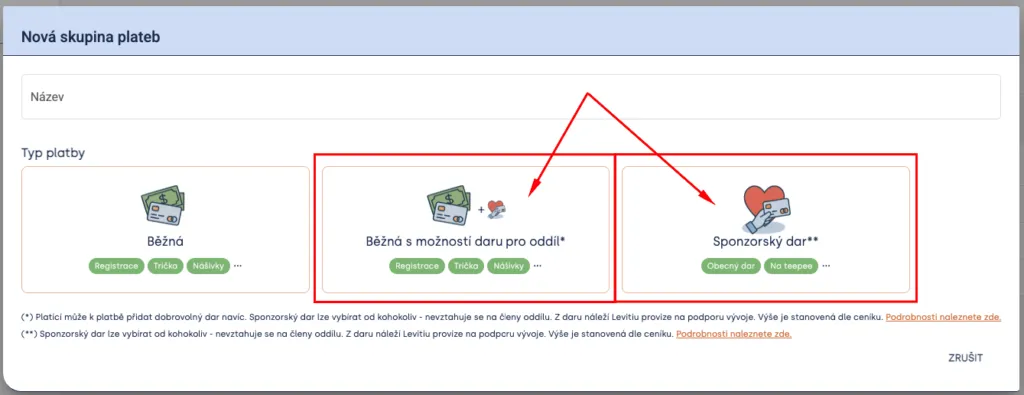
- Regular with donation option for the unit (donations can be made, for example, by rounding up — parents only)
Sponsorship donation
Similar to a regular payment, you can also create and configure a sponsorship donation payment type.
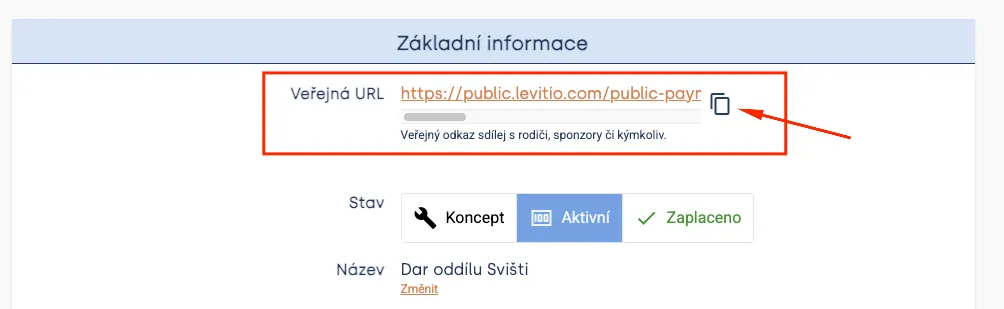
It is not linked to the membership base like regular payments, but works based on a created link (to the payment page) that you can share with anyone. For example on social networks, on the website, or by sending it to former members, supporters, or local companies.
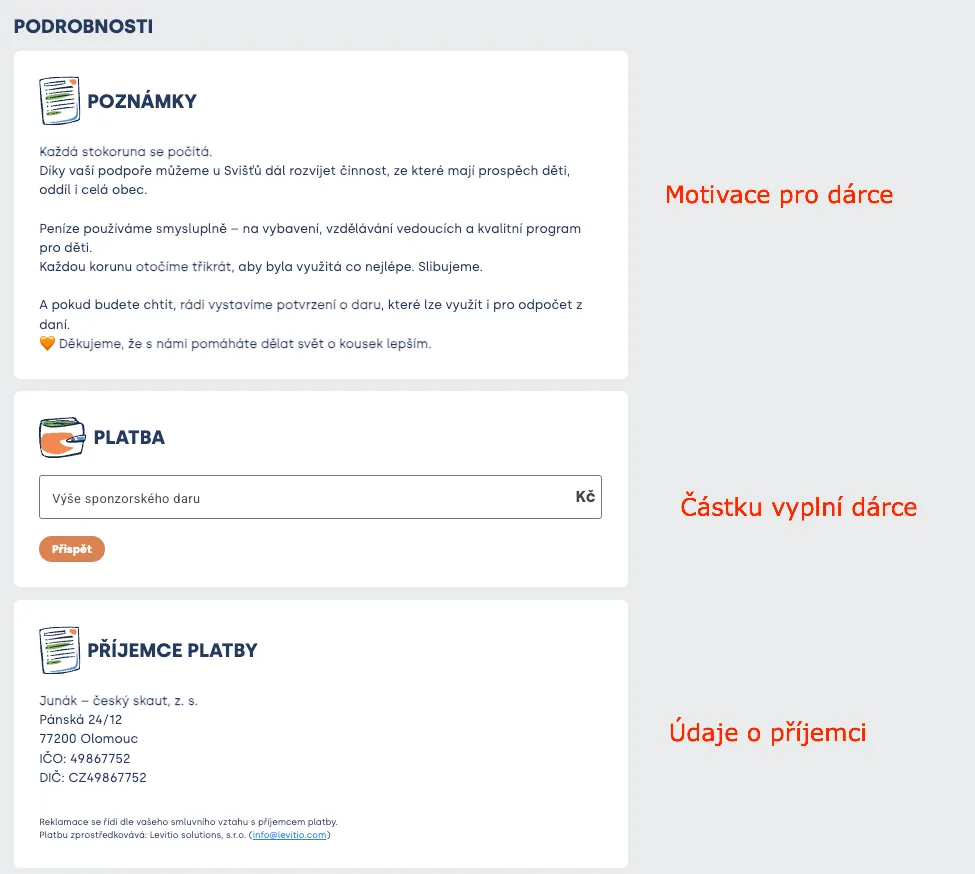
The link leads to a payment page that shows notes (text you write to motivate donors), a field for entering the payment amount, and identification of the recipient (your organization / unit).
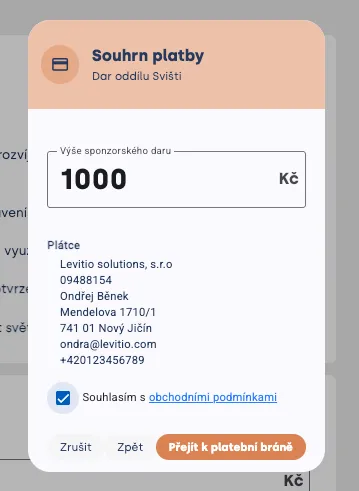
After filling in the amount, the donor sees fields for entering details (which appear on the payment confirmation); they can also select a legal entity (companies):
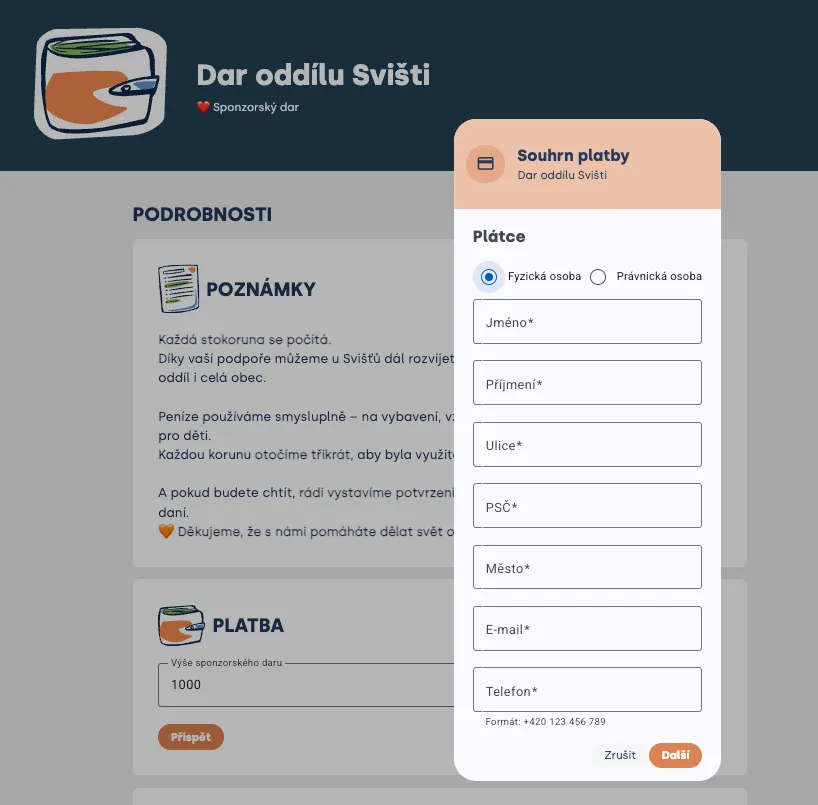
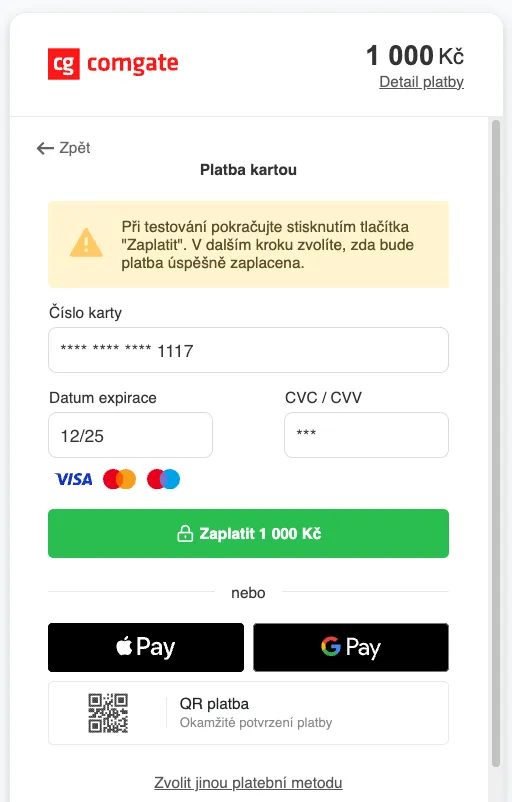
From there the system works like a regular payment: the donor is redirected to the payment gateway, chooses a payment method, and pays.
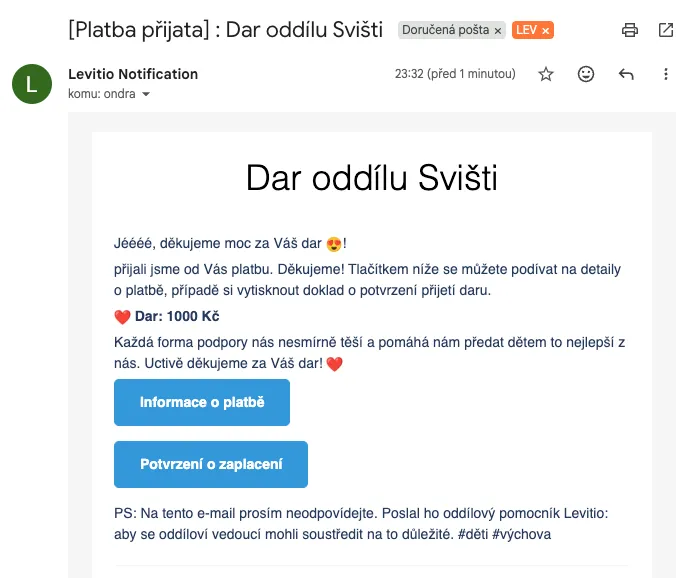
The donor also immediately receives payment confirmation by email:
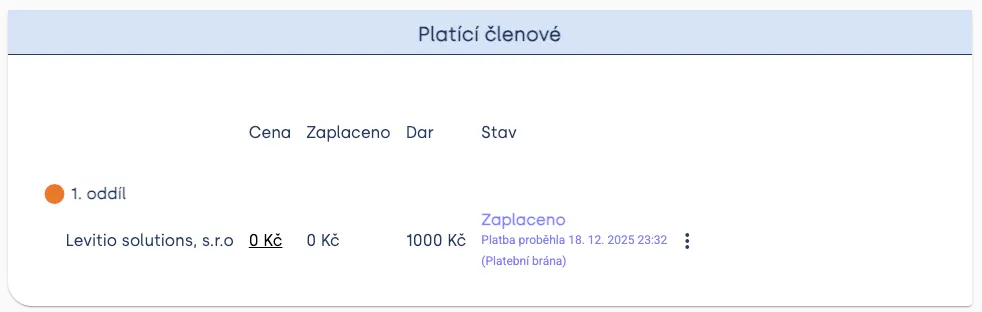
You, on the other hand, immediately see the payment in the payer overview (before the first payment, the list is empty):
Settlement and confirmation
Parents / donors immediately after paying (as with a regular payment) receive email confirmation of payment and are redirected to a Levitio page confirming the payment.
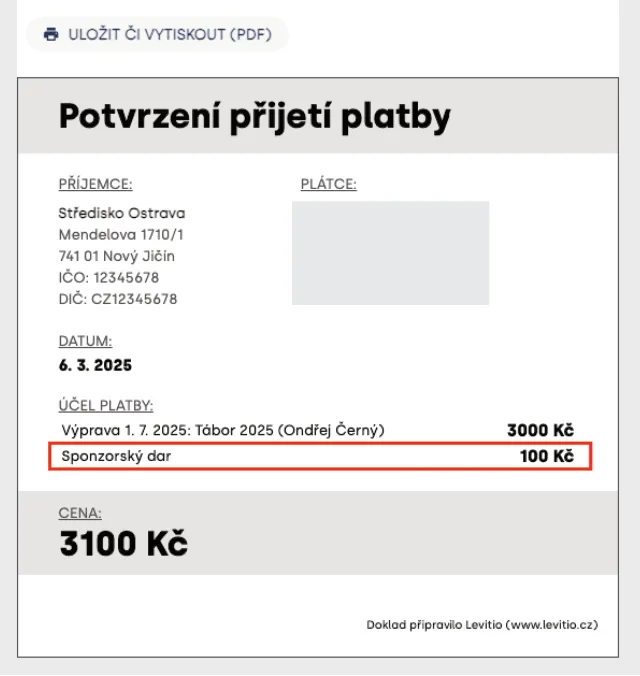
From the email they can also download a payment confirmation that states the donation amount.
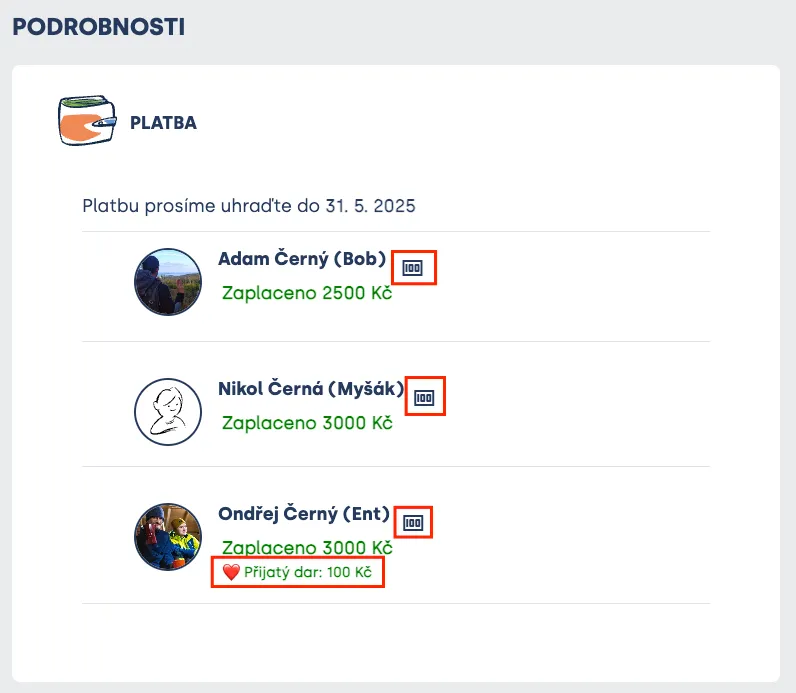
The parent / donor also sees the amount of the donation provided in the overview directly in Levitio.
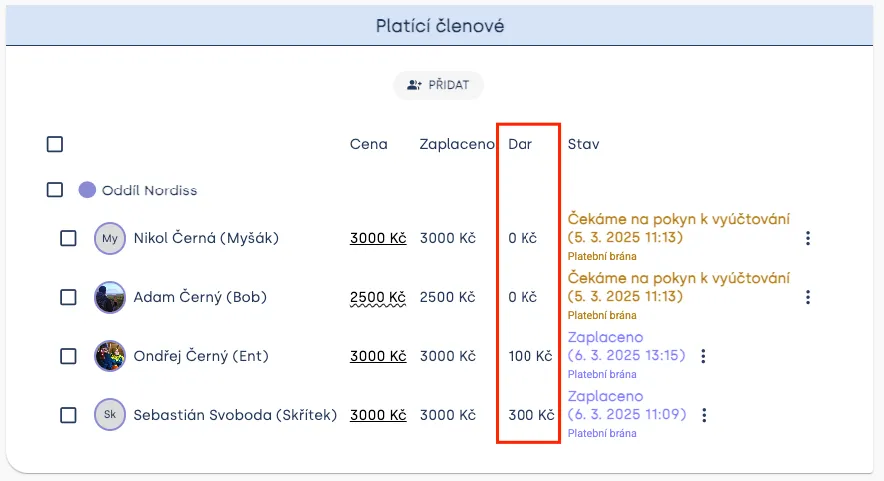
In payment administration you can then see a summary of donations separately. Once the unit decides to settle payments (= instructs Levitio to send funds from Levitio to the unit account), the unit receives two separate payments — all payments within the given payment group in one payment, and all donations together separately.
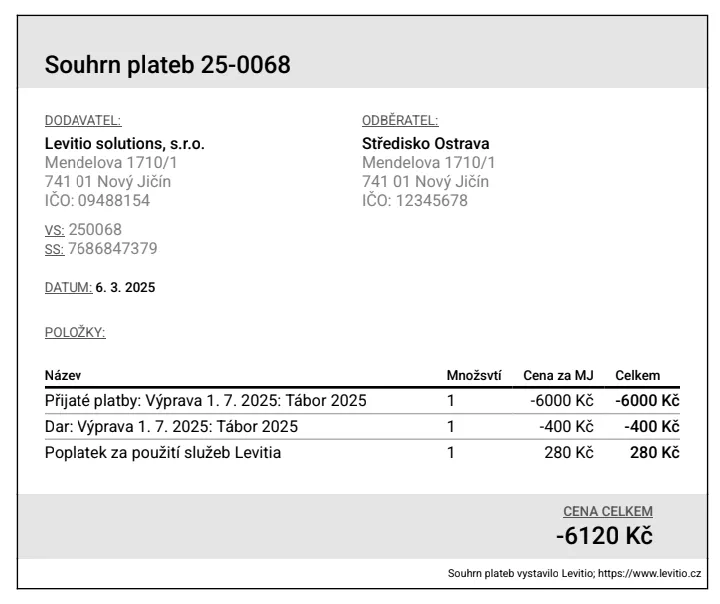
After clicking Settle, the unit receives a confirmation email that settlement is being processed, and immediately after the transaction is processed it receives an email with an accounting document in which received payments, donations, and Levitio fees are listed separately in summary. On further pages of the summary, all payments are listed individually.
Regular with donation option for the unit
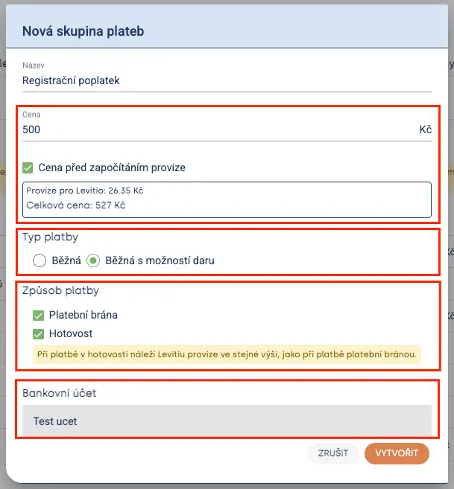
Donation collection must be actively enabled by the unit, otherwise parents will not see the option. If the organization selects Payment type as “Regular with donation option” when creating a payment, parents can “round up” the payment (e.g. for a trip / registration). Such an increase is voluntary and the parent can ignore it.
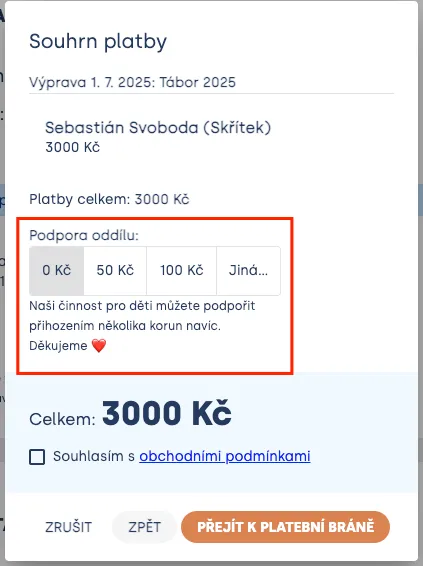
If you choose a payment type with donation option, the parent will see the option to increase the payment and support the unit in Levitio before being redirected to the payment gateway. The default option is CZK 0 (no increase), followed by two preset options and one custom option where the parent can set the amount freely.
Fee for mediating a donation
Donations use the same Levitio Pay fee as other payments.
- 5% on the portion up to CZK 1,500,
- 3% on the portion above CZK 1,500.
Depending on the donation amount, the effective fee is therefore 3–5% of the amount.
Example: for a CZK 2,000 donation the fee is CZK 90 in total — CZK 75 on the first CZK 1,500 and CZK 15 on the remaining CZK 500.
You can always find the current rate in the Levitio price list as well.
Mediating a donation payment is also subject to the Levitio Pay fee. Through their donation, parents contribute not only directly to unit activities, but also indirectly — to improving the tool that makes organization and communication easier for leaders.
🔗 More about fees: Payments FAQ
Related articles
Payments
Levitio Pay: payments
Levitio Pay helps units and clubs collect payments from parents and members. The bank account is set in the specific unit.
Payments
Payments FAQ
Levitio always shows you the fee transparently in advance. Donations use the same 5% / 3% rate as other Levitio Pay payments.
Payments
Adding a bank account
To accept payments through Levitio Pay in a specific unit / club, you must first add and have a bank account approved.
Getting started
Getting started
Levitio is used by organizations, leaders, members, and parents. This guide walks you through creating an organization and the first steps.
For parents
Levitio for parents
Parent and member portal: events, payments, noticeboard, and children's details in one place. You enter the portal with a personal link, without registration or a password.