Help overview/Smart table
Bulk creation of pre-filled infection-free and health fitness forms
In Levitio you can easily generate **required camp documents** – even for all children at once, thanks to pre-filling with dynamic fields.
In Levitio you can bulk-create pre-filled documents for several members at once. Print templates use data from Smart table, so you don’t have to retype the same information into each document.
Levitio has ready-made templates for this (thanks 🐒 Opičák!), into which the app automatically fills in data (names, addresses, etc.), so it saves you unnecessary retyping. You only need a few minutes – and you have everything you need.
How to work with print templates
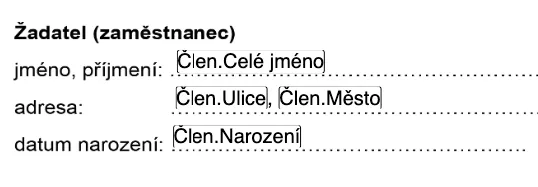
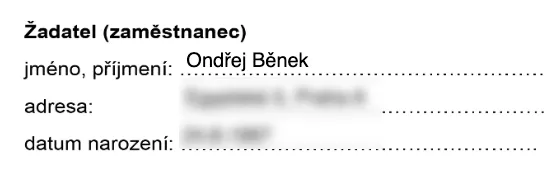
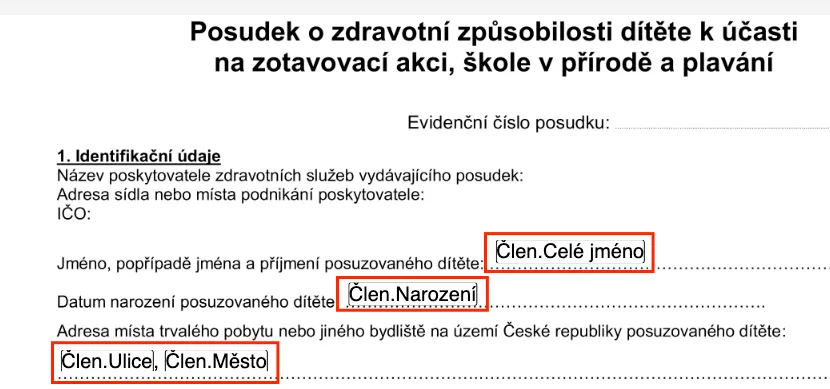
Print templates work with so-called dynamic data. This means you tell the system “I want a name here and a contact here” and the app fills in, for example, the member’s name and contact into 50 diplomas/applications/documents. This data comes from the smart table – anything you have filled in there can be used for automatic bulk document creation.
Dynamic data (“Member.Full name”) → Specific data (“Ondřej”).
Learn how to work with print templates in the video:
Selecting members
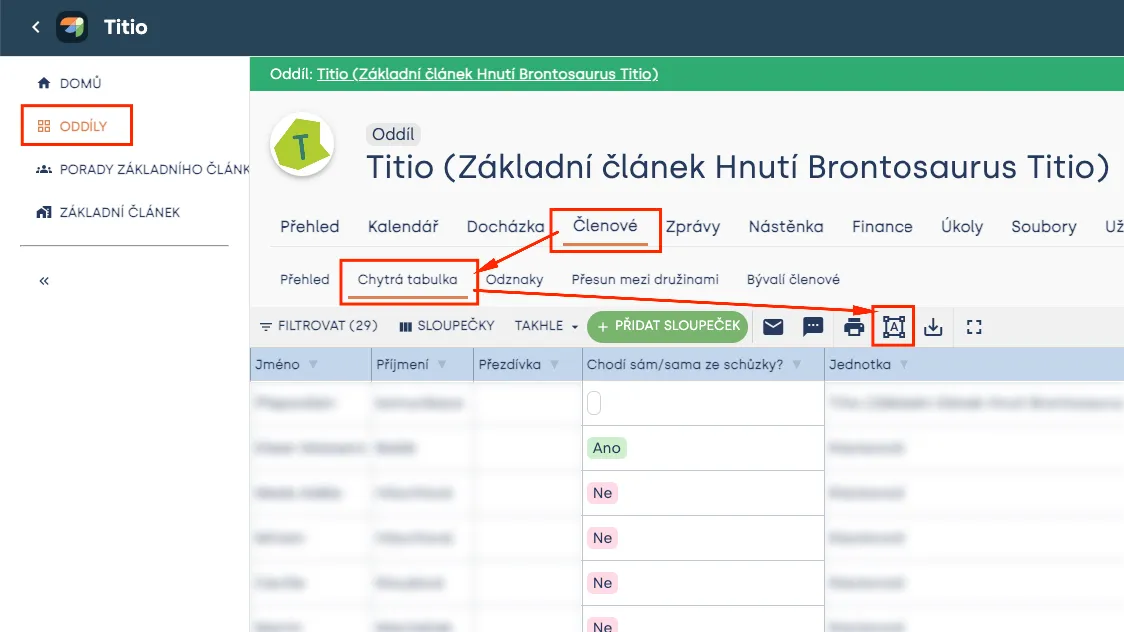
Unit → Smart table → Print templates (icon:

For whom do I want to create documents? Either for everyone (choose the unit), or I can easily filter them in the smart table (e.g. by age or other criteria). Once I have the right members selected (templates will be created for all selected members), I can click the print templates icon.
Required documents
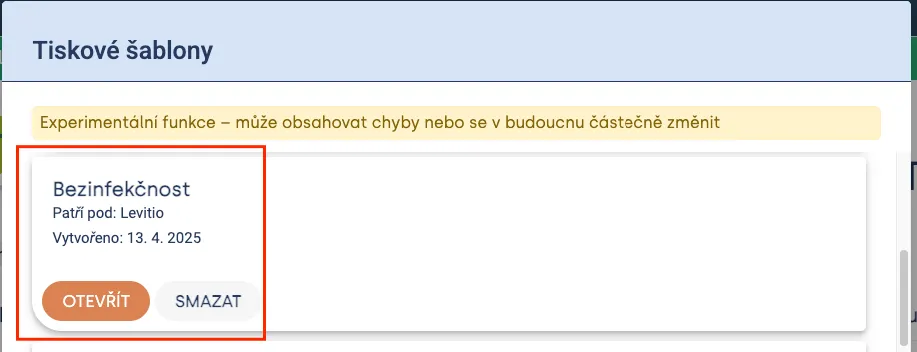
Here you will find ready-made print templates for:
- ✅ Child infection-free confirmation
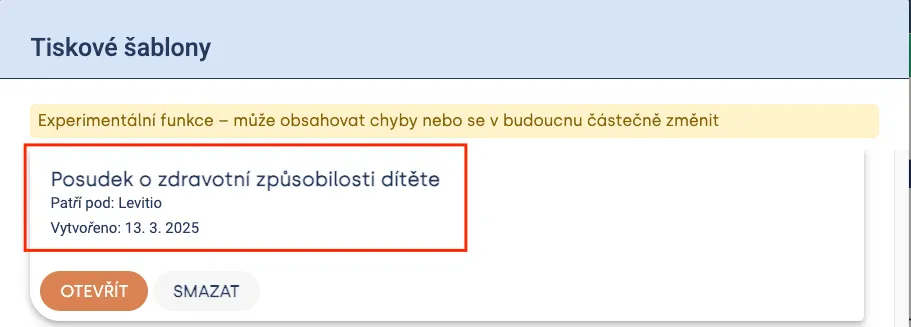
- ✅ Medical certificate of child’s health fitness
Just open, print, and hand to parents or a doctor – everything will be pre-filled, you’ll look great, and you’ll save them time. Plus at camp you won’t have to decipher doctor handwriting 🙂
Heads up! For Levitio to fill in member data, you must have it filled in the smart table 🙂 Including names and parent contacts!
Infection-free declaration
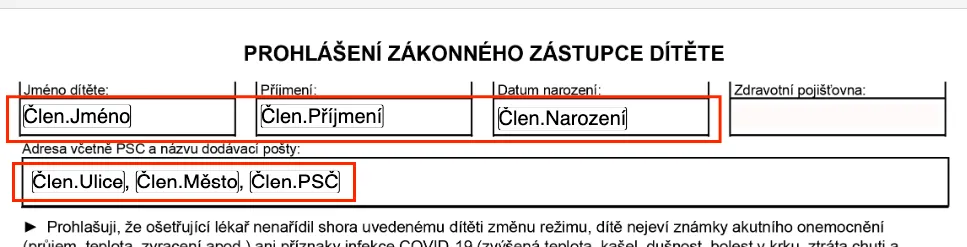
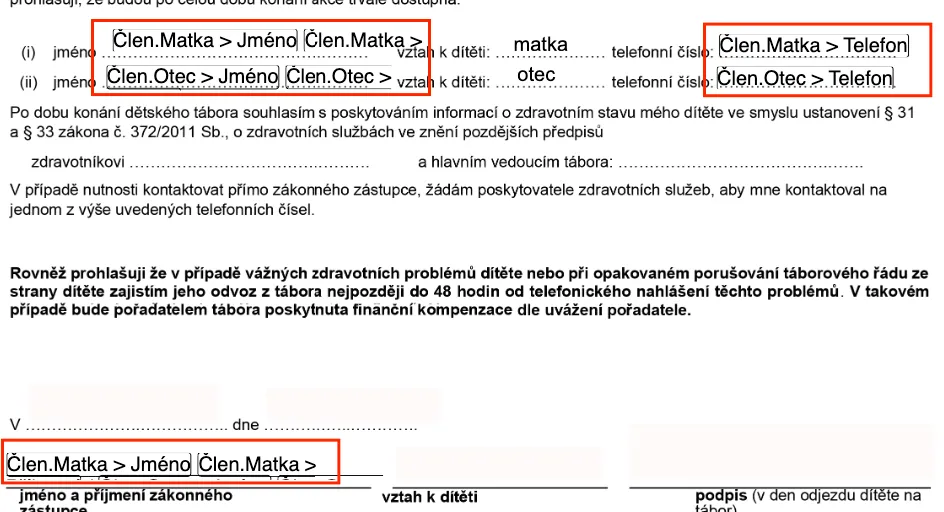
Levitio will fill in all these fields for all selected children and prepare them for printing.
Child health fitness certificate
Levitio will fill in all these fields for all selected children and prepare them for printing.
Related articles
Smart table
Smart table
Smart table is a tool of a specific unit / club for working with member data.
Smart table
Custom columns
You can add custom columns to Smart table for data you need to record beyond the basic member profile.
Smart table
Bulk processing of camp leave requests with wage reimbursement in Levitio
In Levitio, you can easily generate the required documents for leave requests with wage reimbursement – even for all leaders at once , thanks to pre filling with dynamic fields.
Getting started
Getting started
Levitio is used by organizations, leaders, members, and parents. This guide walks you through creating an organization and the first steps.
For parents
Levitio for parents
Parent and member portal: events, payments, noticeboard, and children's details in one place. You enter the portal with a personal link, without registration or a password.